
how to use ChatGPT

How to Use ChatGPT for Studying,Coding and Daily Tasks

how to use ChatGPT

If you have ever wondered how to use ChatGPT to study better, code faster and simplify daily tasks, you are in the right place.ChatGPT has evolved into one of the most powerful AI tools in 2025 – and when it is used correctly it can boost your productivity, learning speed and the ability to solve problems.

In this complete guide, we will explore on how to use ChatGPT for studying, coding and your daily tasks, with real prompts, examples and tips that will perfect your work.

Table Of Contents

  1. What is ChatGPT ?
  2. Why you should learn how to use ChatGPT effectively
  3. How to use ChatGPT for studying
    ● Summaries
    ● Flashcards
    ● Exam preparations
    ● Complex explanations
    ● Math and Science help
  4. How to use ChatGPT for Coding
    ● Writing code
    ● Debugging
    ● Code explanation
    ● Learning languages
    ● Building full projects
  5. How to use ChatGPT for Daily Tasks
    ● Productivity
    ● Planning
    ● Emails & writing
    ● Shopping & health
    ● Travel planning
  6. Best Prompts for Maximum results
  7. Pro Tips to use ChatGPT like a Pro

1. What is ChatGPT ?

Before learning how to use ChatGPT , you should understand what is ChatGPT. ChatGPT is an advanced AI language model that can analyze text, generate content, solve problems, explain concept, write code, summarize information and help with nearly any text through natural language interaction.

ChatGPT understands context, explain concepts clearly, personalizes answers, offer detailed step by step solutions. This makes ChatGPT a powerful tool for students, programmers and everyday users.

2. Why You Should Learn How to Use ChatGPT Effectively

Learning how to use ChatGPT gives you huge advantage. Here’s why:
βœ” It saves time – it gives instant answers rather than browsing dozens of websites.
βœ” It acts like tutor, mentor and assistant – ChatGPT is perfect for learning new subjects and skills.
βœ” It boost productivity – it helps writing , coding, planning and many more.
βœ” It gives personalized solutions – unlike other tools ChatGPT adapts to your needs and level.
βœ” It works 24/7 – ChatGPT is available any time.

3. How To Use ChatGPT for Studying
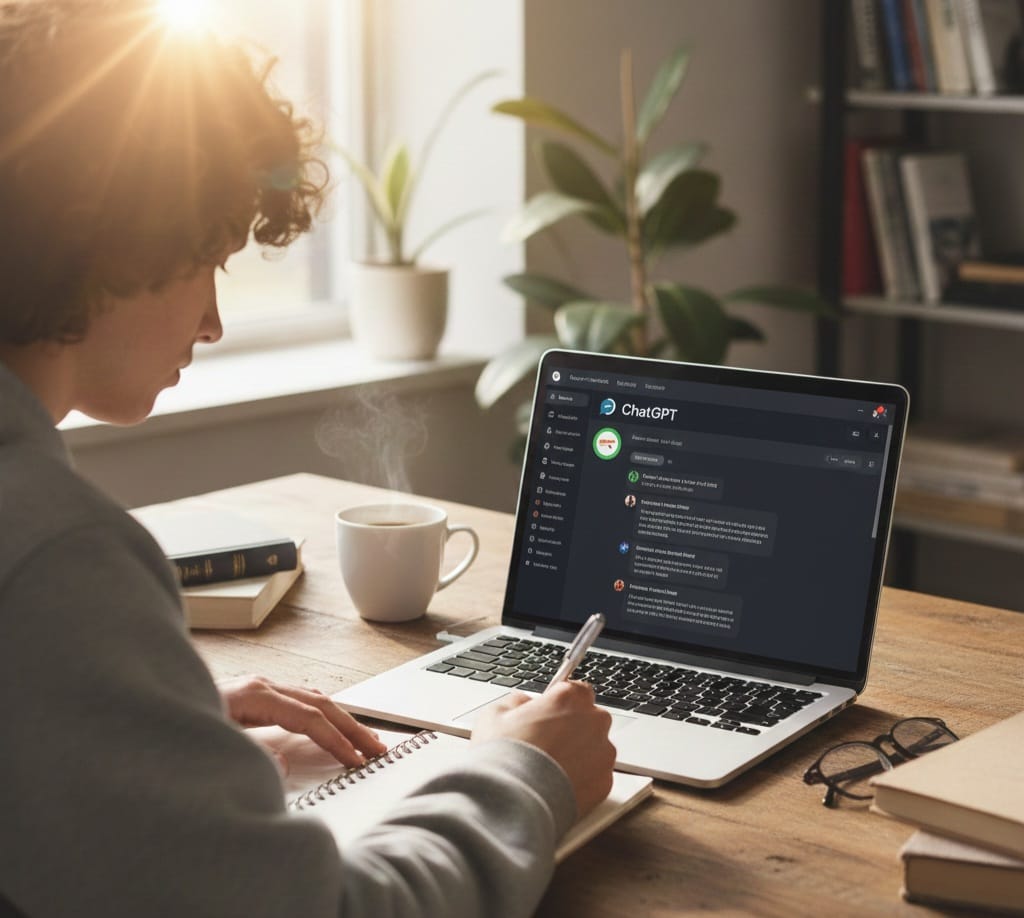
Students around the world use ChatGPT daily, but the secret is knowing how to use it effectively which a few knows that. Learning how to use ChatGPT for studying can improve your grades and saves your time.

3.1 Using ChatGPT to Summarize Textbook and Notes

This is one of the most efficient and time saving tasks, you just paste any text – chapter, lecture notes or long explanations – and ChatGPT will summarize it.

You can ask for the following:
● Key ideas
● Simple explanations
● Bullet points
● Definitions
● Chapter highlights

Example:
“Summarize this chapter and explain it in simple words. Highlight important concepts.”

3.2 Creating Flashcards with ChatGPT

Flashcards are effective especially when you want to memorize faster. ChatGPT can generate question-answer cards, MCQs, True/False cards, fill in the blank cards.
Example:
“Create 20 flashcards for chapter 3: Photosynthesis, with Q&A format.”

3.3 Getting Explanations for Difficult Concepts

When learning how to use ChatGPT, one of the biggest advantages is the ability to simplify complex topics.
Examples:
“Explain quantum mechanics like i’m 12.”
“Explain supply and demand with real life example.”

3.4 Helping with Math, Physics and Science

ChatGPT can solve equations, show steps and explain formulas. ChatGPT is very good at explanations so always ask for explanations not just answers so you learn.

Example:
“Solve this equation step by step: 3x+4=19.Explain every step.”

3.5 Creating Study Plans

ChatGPT can organize your entire study routine and give you perfect routine that you can do all your tasks plus your entertainments with breaks between your routines.

Example:
“Create a 7 day study plan to prepare for my biology exam.Includes daily topics and breaks.”

4. How to Use ChatGPT for Coding
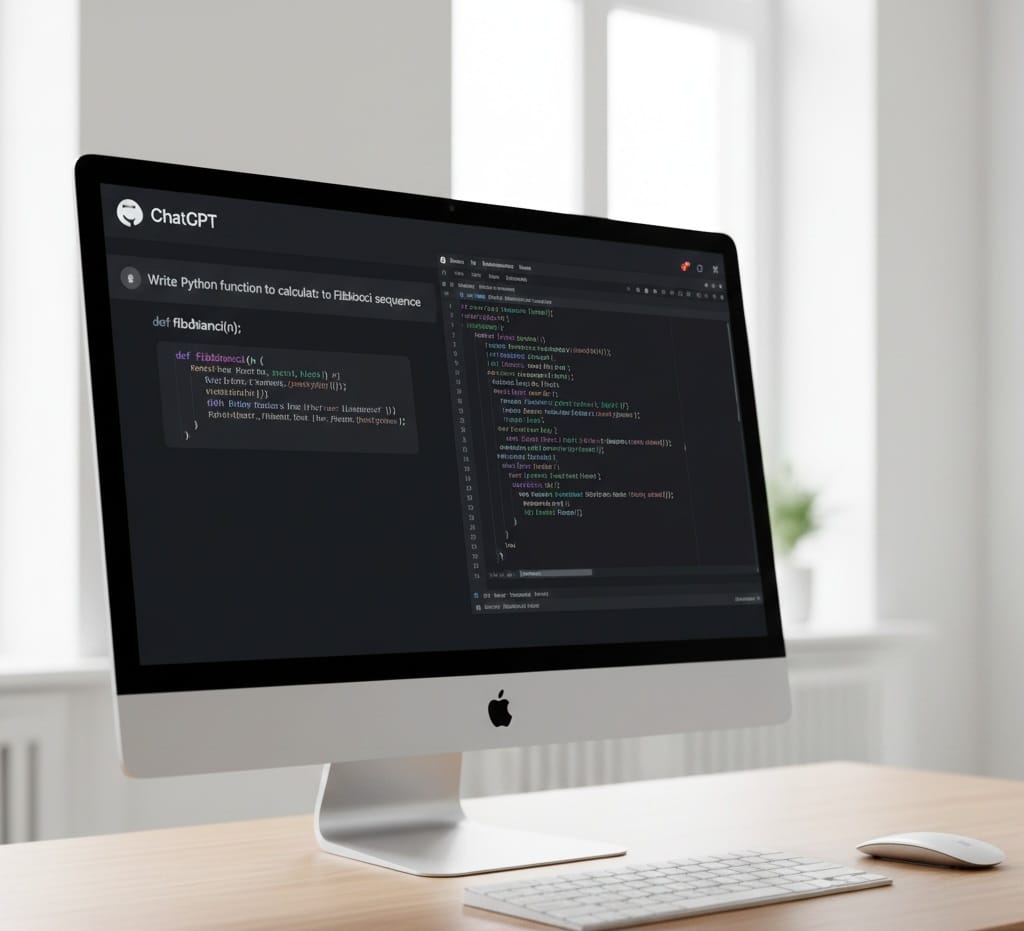
Whether you are beginner or developer, learning how to use ChatGPT for coding can saves you counltess hours.
Here’s how:

4.1 Writing Code Automatically

ChatGPT can generate complete code based on your instructions. It supports all major languages including python, java, javaScript, c++, c#, swift, PHP, SQL, HTML/CSS.

Example:
“Write a Python script that automatically downloads and renames images.”

4.2 Debugging Code

If you get any error just paste your code and ask ChatGPT to find the mistake. Using ChatGPT this way is like having a senior developer sitting beside you.

Example:
“Here is my code and the error message. Fix the code and explain the error.”

4.3 Explaining Code step by step

Learning how to use ChatGPT includes making it your personal programming tutor. ChatGPT can transform confusing code into simple explanations.

Example:
“Explain this java code line by line like for a beginner.”

4.4 Learning New Programming Languages

If you are learning new language ChatGPT can guide you, you can ask syntax rules, examples, comparisons, best practices.

Example:
“Teach me Python from zero. Give me lessons and exercises.”

4.5 Building Full Projects

This is where ChatGPT truly shines. You can request project ideas, folder structures, database design, full code files, documentation, testing scripts.

Example:
“Generate a full to-do app in javaScript. Include HTML, CSS, and JS.”

5. How to Use ChatGPT for Daily Tasks
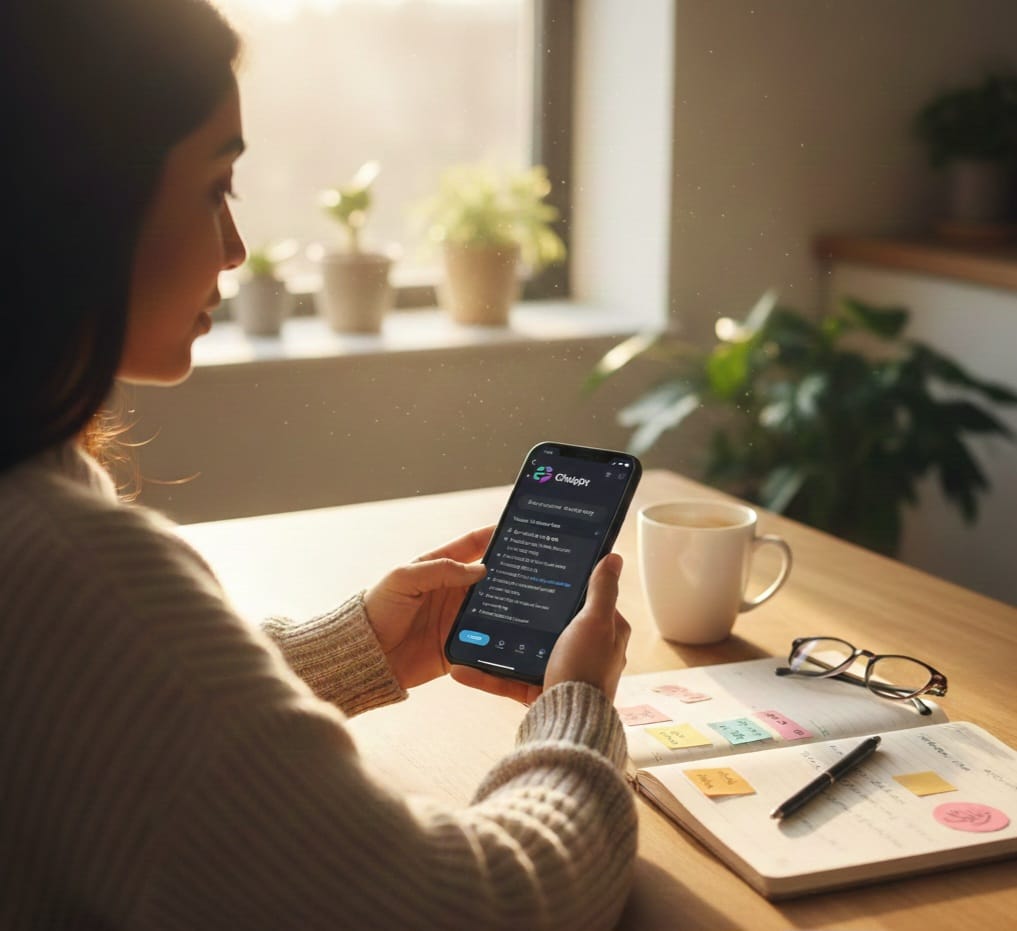
Learning how to use ChatGPT for daily tasks can help you alot including:
● Plan your idea
● Manage tasks
● Write messages
● Organize budgets
● Improve healths
● Travel better
Here is how to use practically:

5.1 Planning Your Day

ChatGPT can actually help you plan your day to stay organized.
Example:
“Plan my day with study time, worktime, meals and breaks. I wake up at 7 AM.”

5.2 Writing Emails, Messages and Documents

ChatGPT can write anything:
● professional emails
● formal letters
● resumes
● reports
● esseys

Example:
“Write polite email asking my professor for an extension.”

5.3 Shopping, Budgeting and Money Management

ChatGPT helps you compare products, plan budgets and make smarter purchases. It collects data of products you want to buy from different shops,websites and other markets.

Example:
“Suggest the best smartphone under $300 in 2025 with pros and cons.”

5.4 Fitness & Nutrition Plans

You can use ChatGPT for general wellness planning like;
● diet plans
● workout routines
● habit tracking
● sleep schedules

Example:
“Create 2 weeks beginner workout plan I can do at home.”

5.5 Travel Planning

ChatGPT is very good at planning and can help you create full travel plans including costs, clothes, all the activities you would do and the places to visit.

Example:
“Plan a 5-day trip to Dubai including costs, places and timings.”

6. Best Prompts for Using ChatGPT

Studying Prompts

● “Explain this topic simply: “
● “Summarize this text: “
● “Create flashcards for [subject]”
● “Make a study plan for my exam”

Coding Prompts

● “Debug this code: “
● “Explain this code line by line”
● “Write a script that does [task]”
● “Optimize this function for speed”

Daily Life Prompts

● “Plan my day”
● “Write an email about [topic]”
● “Make a shopping list under $50”
● “Create a meal plan for 7 days”

7. Pro Tips to Use ChatGPT Like a Professional

βœ” Be specific – the more clarity you give , the better the results
βœ” Use foolow-up instructions – ChatGPT improves when you refine the prompts
βœ” Request step by step solutions – this will help you learn more efficiently
βœ” Use ChatGPT daily – the more you use the better you understand how to use ChatGPT efficiently

Conclusions

Knowing how to use ChatGPT gives you a powerful advantage in studying, coding, and everyday life. Whether you want better grades, faster coding or a more productive lifestyle, ChatGPT acts as your personal tutor, developer and assistant. Use the prompts and strategies in this guide to unlish the full potential of ChatGPT in 2025 and beyond.



how-to-become-web-designer1

How To Become Web Designer In 2025: Complete Step-By-Step Guide For Beginners

Current image: how-to-become-web-designer1

Web design is the most in-demand digital careers in 2025 and it is necessary to know how to become web designer. From small businesses to global brands,everyone needs a website and ofcourse they need someone skilled and creative to build it. Because of this demand many people are searching for how to become web designer and how to enter this amazing field without spending years in school or thousands of dollars.

This guide will walk you step-by-step through exactly how to become web designer even if you have no experience. You will learn skills to master, tools to use, mistakes to avoid, how to build your portfolio and even how to get your first client.

What Does Web Designer Do ?

Before you learn how to become web designer, it is important to understand what the job really involves.

A web designer is responsible for :
1. Designing layouts, color schemes, fonts, and graphics
2. Ensuring website is user-friendly and visually appealing
3. Working closely with developers
4. Designing mobile-friendly (responsive) layouts
5. Understanding basic front-end elements
6. Improving website usability and flow
7. Creating wireframes, prototypes, and mockups

Step 1 : Learn The Foundations Of Web Design

Every journey on how to become web designer starts with learning the basics. These are the core fundamentals every designer needs to understand.

1.1 Learn Design Principles

  • Color theory
  • Typography
  • Spacing and Layout
  • Visual hierarchy
  • Balance and alignment
  • Contrast and readability

1.2: Learn UI/UX Basics

  • User journeys
  • User experience flows
  • Wireframing
  • User-centric designs
  • Interactive designs
  • Accessibilites(A11y)

    Strong UX skills make your designs more effective and more valuable to clients.

Step 2: Master The Essential Web Design Tools

Tools are the pivot to learning how to become web designer and the good news is many are free or affordable.

2.1: Graphics and Interface Design Tools

  • Figma – choice for web designers
  • Adobe XD – UI/UX tool
  • Sketch – Mac-only design app
  • Canva – great for beginners

2.2: Website Builders (No code needed)

  • WordPress(Elementor, Divi)
  • Webflow
  • Wix Studio
  • Squarespace

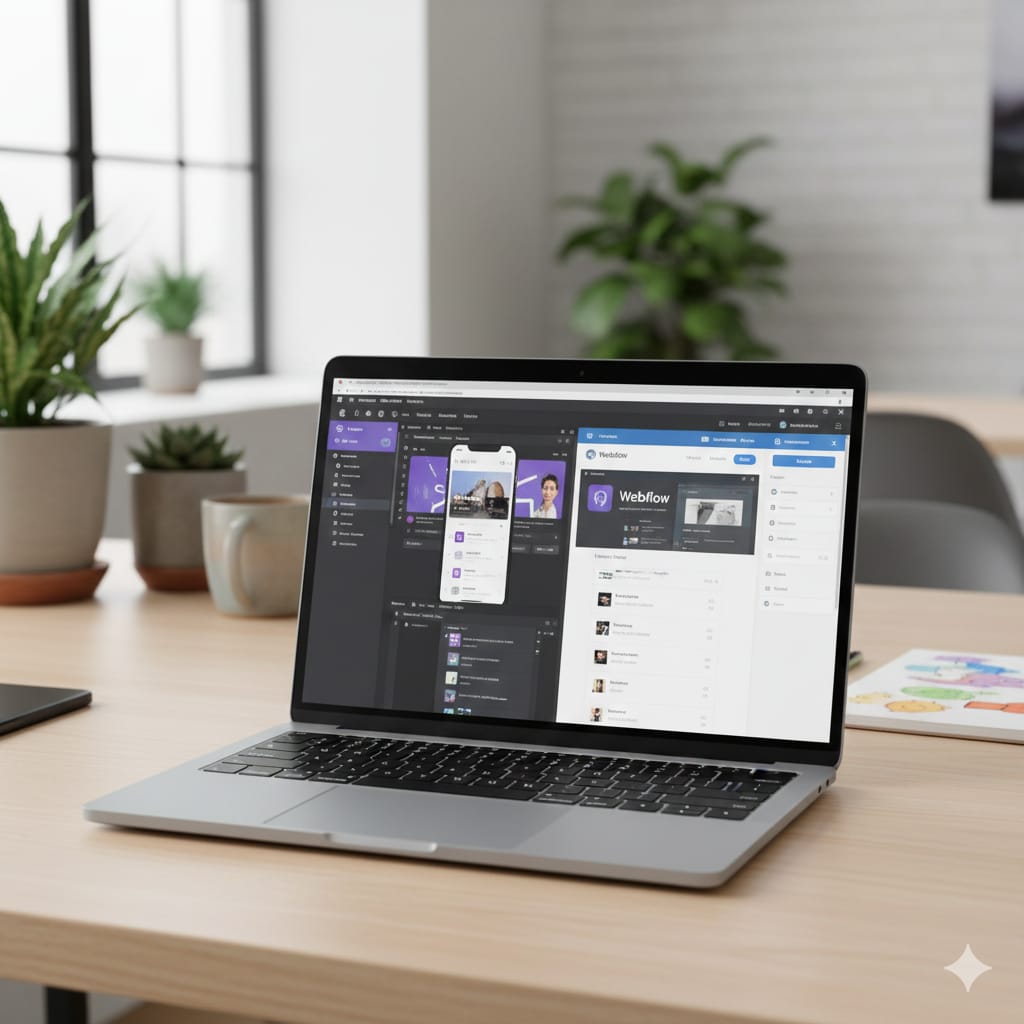
    Knowing this will help you get clients faster. Webflow is one of the fastest growing no-code tools for professional web designers.

2.3 Optional: Learn Basic Front-End Code

  • Html
  • CSS
  • Basic javaScript

This is not required but learning the basics will make you much better at your job. Even a small understanding will make you communicate with developers and designers.

Step 3: Practice by Designing Real Websites

Once you master the basics and tools, the next step on how to become web designer is practice.
Here are beginner-friendly practice ideas:

3.1: Redesign Existing Websites

Choose old outdated or poorly designed website and redesign them. Some good options are:
1. Local restaurants
2. Small online stores
3. Schools
4. Nonprofits

3.2: Create Fake Client Projects

  • A personal trainer
  • A real estate agent
  • A photographer
  • A clothing store
  • A travel agency

3.3: Follow UI/UX challenges

  • 50 days UI challenge
  • Dribble weekly challenge
  • Behance creative challenges

    This help you build creativity and consistency.

Step 4: Build A Professional Web Design Portfolio

Your portfolio will determine whether you you will get clients or job. Portfolio is one of the essential part of how to become web design

What to Include in your Portfolio

  • Your best 4-5 web design projects
  • Website redesigns
  • Prototypes and wireframes
  • Final design mockups
  • Case studies that explains your process

Create a Portfolio Website Using:

Your Portfolio should show:
1. Who you are
2. What you do
3. Your design style
4. Your Process
5. Contact info

Step 5: Learn The Business Side of Web Design

Understanding how to get paid is part of learning how to become web designer.

5.1: Decide your Path

  • A freelance web designer
  • An in-house designer at a company
  • A web designer at an agency
  • A UI/UX designer
  • A webflow/WordPress specialist

5.2: Find Your First Clients

Beginners often start with:

  • Local businesses
  • Non profits
  • Student organizations
  • Friends and family
  • Freelancing platforms

Platforms to find work:

  • Upwork
  • Fiverr
  • Freelancer
  • LinkedIn
  • Facebook business groups

5.3: Set Your Prices

Beginners: $200-$800 per website
Intermediate designers: $800-$2,500
Advanced designers: $3,000-$10,000+

Step 6: Stay Updated With Trends And Modern Design Standard

Staying updated is essential in learning how to become web designer long term, as web designs trend change constantly.

Popular Web Designs Trends in 2025

  • AI assisted design
  • Dark mode themes
  • Minimalist layouts
  • Accessible design
  • 3D illustrations
  • Motion UI

Best Resources to Learn Trends

  • Dribbles
  • Behance
  • YouTube designers
  • Figma community files
  • Webflow showcase

Step 7: Improve Your Soft Skills

Technical skills helps a person design, butbsoft skills help succeed.
Web designers need:

  • Communication skills
  • Time management
  • Creativity
  • Problem-solving
  • Basic marketing skills
  • Understanding the client

Step 8: Create an Online Presence

If you want client to consider you or take you seriously, you must show up online.

Ways to build a digital presence:

  • Create a professional LinkedIn
  • Post on social media like Instagram
  • Share designs on Dribble and Behance
  • Write blog post about web design
  • Create YouTube or TikTok tutorials

Step 9: Build Real-World Experience

Experience is the final step in your journey of how to become web designer. You can start small:

  • Volunteer Projects
  • Internship
  • Local businesses
  • Personal projects
  • Online challenges

Step 10: Keep Learning and Growing

Web designs constantly evolves with new tools, trends, and technologies. To stay competitive:

  • Take courses(Udemy, Coursera)
  • Join design communities
  • Study UI/UX case studies
  • Read design books
  • Watch tutorials

Conclusion

Web design is one of the most rewarding careers in 2025. Creative, flexible, well-paid and full of opportunity. Whether you want freelancing career, a remote job or to start your own agency, it is the perfect time to begin.

must have tech tools

5 must have Tech Tools for Students 2025(Ultimate Guide)

As we step deeper into 2025, top must have tech tools is essential in student life. The position of technology in student lifestyles has turn out to be extra vital than ever. Whether attending high school, university, or online learning programs, college students rely on digital tools to stay organized, enhance productiveness, complete assignments, and adapt to the fast-paced academic environments.

The current image has no alternative text. The file name is: must-have-tech-tools.jpg

But with such a lot of apps, devices, and platforms available today, it could be difficult to figure out which ones absolutely make a difference. That’s why we’ve compiled the top 5 must have tech tools for students 2025β€”the tools that simply improve learning, sharpen productivity, and help students thrive academically in the modern digital era.

1. AI Learning Assistants(Chat-Based Study Tools)

AI learning assistants continue to dominate as one of the top must have tech tools for students in 2025.With tools like ChatGPT, Gemini, and specialized study AI platforms, students can instantly access explanations, summaries, research steerage, and personalised help around the clock.

Why Students Need This Tool

1.Provide 24/7 home assistance
2.Breaks down complex topics into simpler explanations
3.Help generate outline,study guides and notes
4.Support students who struggle with writting
5.Make research faster and more efficient
6.Offers interactive tutorials accros all subjects

AI assitants have become essential because they tailor learning to each students pace. Whether preparing for exams, writting essays or solving equations , AI tools help reduce stress and make academic tasks easier.

2. Digital Notetaking and Organization Workspaces

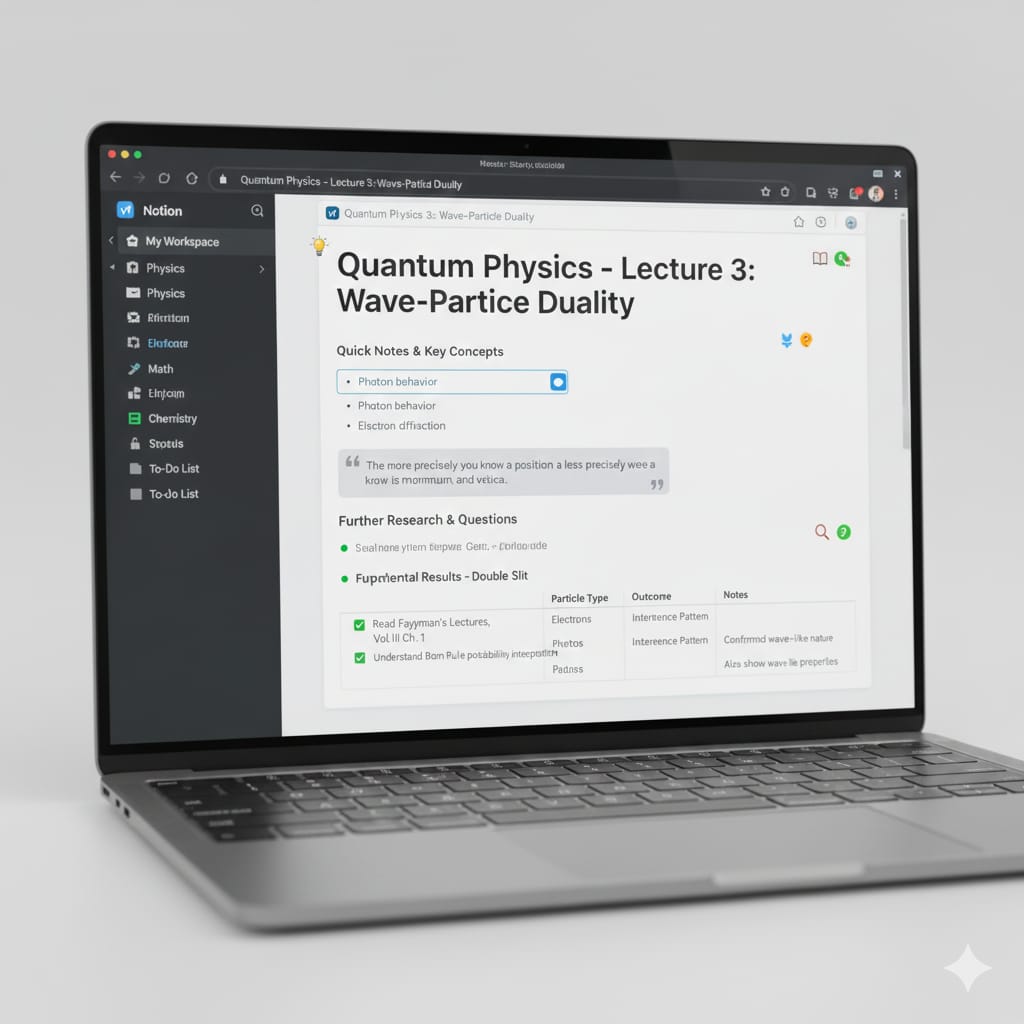
One of the most important must have tech tools for students is a powerful digital workspace. Notetaking has evolved far beyond simple text documents. Platforms like Notion, Microsoft OneNote, Evernote and GoodNotes allow students to build fully customized learning systems

Key Features That Make This Tool Essential

  1. AI features that summarize notes automatically
  2. Calendar and planner templates
  3. To-do list and assignments trackers
  4. Subject-based organization
  5. Ability to embed lecture slides, links, videos, PDFs
  6. Cloud synchronization for access on laptop, phone, and tablet

Benefits For Today’s Students

  1. Keeps all content in one place
  2. Encourages better time management
  3. Helps avoid missed assignments or due dates
  4. Eliminate the clutter of pyhsical notebooks
  5. Makes revision easier with searchable notes

3. Cloud Collaboration suites

In 2025, cloud-based collaboration tool are no longer optional they are absolutely must have tech tools for students in both in-person and online learning environments.

Platforms like Google Workspace and Microsoft 365 allow students to communicate, edit documents together in real time, and access shared documents without having USB drives or multiple apps. Learning management systems like Canvas and Schoology also integrate seamlessly with those tool

Why Collaboration Tools Matter

  1. Real-time document editing
  2. Organized class materials and assignments
  3. Cloud storage
  4. Communication hubs for teachers and students
  5. Built-in video conferencing

For Students Who Works in Groups

  1. Easy submission of assignments
  2. Shared calendars for planning
  3. Comment-based editing
  4. Shared slide decks

4. AI Productivity & Study Enhancers(Quizlet AI, Grammarly, Research Assistants)

AI powered study enhancers take learning to a whole new level, making them among the most valuable must have tech tools for students this year

Top Tools In 2025:

1. Grammarly AI – for grammar checking, rewriting, clarity improvements
2. Quizlet AI – auto-creates personalized flashcards and practice tests
3.Zotero or EasyBib – citation and bibliography generators
4.Perplexity – research-based search engine for academic insights

What These Tools Do:

  1. Improve writing quality instantly
  2. Help students create citations without errors
  3. Generate study sets in seconds
  4. provide plagiarism checks and originality reports
  5. Offer targeted practice for exam

Students can’t do without these tools as it saves them hours every week. They help refine essays, strengthen memory through active recall, and speed up research

5. Smart Devices For Learning

Finally, no list of must have tech tools for students would be complete without hardware. Smart devices have developed considerably, becoming more affordable, powerful, and essential for modern learning.

Key Devices Students Should Consider in 2025

  1. AI-powered laptops with built-in neural processing
  2. Tablets with stylus support (iPad, Galaxy Tab, Surface)
  3. Noise-cancelling headphones for focused studying
  4. E-ink tablets for distraction-free note-taking

Why This Devices Matter

Students nowadays work across multiple environments- coffee shops, classes, dorms, libraries. Portable efficient devices offer:
1. Better multitasking
2. Long battery life
3. Smooth note-taking
4. Faster processing for AI tools
5. Improved concentration

How This Tools Improve Student’s Success In 2025

βœ“ Better organization β†’ much less stress and fewer missed deadlines
βœ“ Enhanced productivity β†’ faster completion of assignments
βœ“ Improved writing and comprehension β†’ more polished academic work
βœ“ Personalized learning β†’ AI adjusts to each student’s strengths
βœ“ Smoother collaboration β†’ ideal for group projects and remote learning
βœ“ Stronger focus β†’ fewer distractions and more efficient studying

Conclusions

The 5 most have tech tools for students in 2025 are more than just gadgets – they are crucial learning companions that enhance productivity, learning and digital confidence. Whether you are taking online classes, attending college or preparing for major exams, these tools give students the threshold they need to succeed this tech driven world.

By embracing these tools, students can stay organized, simplify complex tasks and develop the digital literacy needed for the future.

budget-laptops

Top budget laptops for students 2025

Current image: budget-laptops

Finding the best budget laptops for students in 2025 can feel overwhelming. Prices fluctuate, new processors release every few months, and students want laptops that could handle everything – from note-taking and research to video calls, streaming, and light creative work – without breaking the bank.

We’ll break down the must-have capabilities that make a budget laptop worth your cash, from battery lifestyles that survives all-day look at sessions to processors that take care of your coursework without lag. You’ll additionally discover how extraordinary majors have precise wishes – what works for an English important may not cut it for computer science students.

 Finally, we’ll share realistic money-saving techniques, such as the first-rate instances to shop for, student reductions you didn’t realize existed, and whether refurbished fashions are worth thinking about. By the end, you may know precisely what to search for and how to get the most price out of your laptop investment.

Essential features every student budget laptop must have

Relaible performance for multitasking and productivity

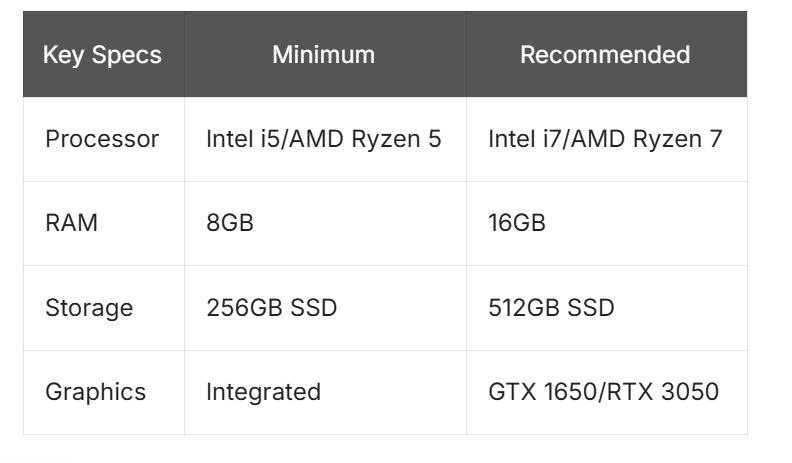
Students need laptops which can take care of multiple browser tabs, streaming lectures, word processing, and video calls simultaneously with out getting stack. A decent budget laptop must pack a minimum of 8GB of RAM and a modern processor like an AMD Ryzen 5 or Intel Core i5. These specs make certain clean overall performance when switching between research papers, on-line classes, and group project collaborations.

The processor speed matters more than you may think. When you are racing against assignment deadlines, awaiting programs to load will become frustrating. Look for processors with base clock speeds round 2.4GHz or higher. Solid-state drives (SSDs) make a huge difference in boot instances and application responsiveness as compared to traditional hard drives, even if they offer much less storage space.

Long-lasting battery life for all-day campus use

Campus life needs mobility, and hunting for power outlets between classes wastes valuable study time. A quality budget laptop should deliver 8-10 hours of real-world usage, not just manufacture claims. Battery performance varies significantly based on display screen brightness, processor workload, and background applications.

Students often underestimate how much they will use their laptops through out the day. Morning lectures, library study sessions, afternoon labs, and evening homework create non-stop utilization patterns. Fast-charging capabilities also prove vital when you only have 30 minutes between classes to grab a few extra juice.

Consider laptops with power-efficient processors like Intel’s brand new generation chips or AMD’s Ryzen collection, which balance performance with energy consumption effectively.

Adequate storage space for assignments and media

Students gather digital files quickly – lecture recordings, research papers, presentation slides, and personal media fill up storage faster than anticipated. A minimum of 256GB SSD storage handles basic needs, though 512GB provides greater breathing room for growing document collections.

Cloud storage services like Google Drive, OneDrive, or Dropbox help increase local storage, but reliable internet access is not guaranteed. Having adequate local storage prevents the pressure of constantly dealing with disk space or stressful about undertaking files when wifi goes down.

External storage alternatives like USB drives or portable hard drives provide affordable expansion, but integrated storage remains more convenient for daily use. Consider your area of examine too – engineering and design majors need more storage for software and project files as compared to liberal arts students.

Specialized Budget Laptops for Different Academic Fields

Engineering and Computer Science Students Need Processing Power

When you are compiling code or running complex simulations, a slow laptop will become your worst enemy. Engineering and computer science majors need machines that won’t crash in the course of those late-night time programming sessions or while rendering 3D models.

Look for a budget laptop with at the least an Intel i5 or AMD Ryzen 5 processor. These chips handle multitasking between your IDE, browser, and documentation with out breaking a sweat. RAM matters too – 8GB is the bare minimum, however 16GB gives you breathing room when running virtual machines or working with large datasets.

Graphics abilities deserve attention, especially for engineering students working with CAD software. While dedicated graphics cards push budgets higher, integrated graphics like Intel Iris Xe or AMD Radeon Graphics handle basic 3D modeling and programming tasks adequately.

Art and Design Majors Require Color-Accurate Displays

Your laptop screen becomes your canvas, so color accuracy can’t be an afterthought. Design students working on logos, illustrations, or photo editing need displays that show true colors, not the washed-out screens found on many cheap laptops.

Look for IPS panels with at least 72% NTSC color gamut coverage. These screens display more accurate colors than basic TN panels and maintain consistent viewing angles. Screen size is also important – 15.6 inches gives you more workspace than a 13-inch display, making detailed work more comfortable.

Touch screen capabilities add value to digital artists who want to interact directly with their designs. Stylus support turns your budget laptop into a basic drawing tablet, although dedicated graphics tablets still offer better accuracy for serious illustration.

Battery life becomes crucial when you’re bouncing between studio spaces or working in the library. Look for laptops that promise 8+ hours of actual usage. Art software can drain batteries quickly, so having backup power keeps the creativity flowing.

Storage needs to be a special consideration as design files consume significant space. A 512GB SSD provides enough space for Adobe Creative Suite, project files and system operations without constant file management headaches.

Money-Saving Tips for Student Laptop Purchases

Take Advantage of student discounts and educational pricing

Student discounts can slash hundreds of dollars off your budget laptop purchase. Most predominant manufacturers like Apple, Dell, HP, and Lenovo provide distinct educational pricing that’s regularly 10-15% below retail prices. These discounts are not just for tuition payments – they apply to laptops, software, and accessories too.

Start by checking your school’s bookstore website, as many universities partner directly with manufacturers to offer deeper discounts than what is available to the general public. Microsoft’s Education Store, Apple’s Education pricing, and Dell’s Student Purchase Program are excellent starting points. You’ll generally need a valid .Edu e-mail address or student ID to verify your status.

Don’t overlook smaller retailers either. Best Buy’s Student Deals application and Amazon Prime Student both offer rotating laptop discounts that can stack with manufacturer promotions. Some credit unions and membership corporations also negotiate special rates for students.

Consider certified refurbished models from reputable sellers

Certified refurbished laptops provide premium features at price range laptop costs, often saving you 20-40% as compared to new models. These machines undergo rigorous testing and come with warranties that rival new products.

Stick to manufacturer refurbishment programs like Dell Outlet, HP Renew, or Lenovo Outlet rather than third – party sellers. These programs replace worn components, update software, and include original accessories. Many refurbished laptops are actually consumer returns that have been never used or corporate lease returns that received amazing care.

Business-grade refurbished models like ThinkPads or Dell Latitudes often provide better build quality than new consumer laptops at similar price points. Check the refurbishment date and warranty details before buying, and confirm the return policy matches new product standards.

Conclusion

Finding the right budget laptop as a student does not have to break the bank or leave you stuck with a machine that can’t deal with your coursework. The key is focusing on important features like solid battery life, enough RAM for multitasking, and a reliable processor that may grow along with your academics needs.

Different fields of study have their own requirements too – whether you are editing videos for a media arts software or running statistical software for research, there is a budget-friendly option that suits your specific academics demands.

wordpress-6.8

Exploring The Powerful New WordPress 6.8 2025: and The Best Hosting Provider

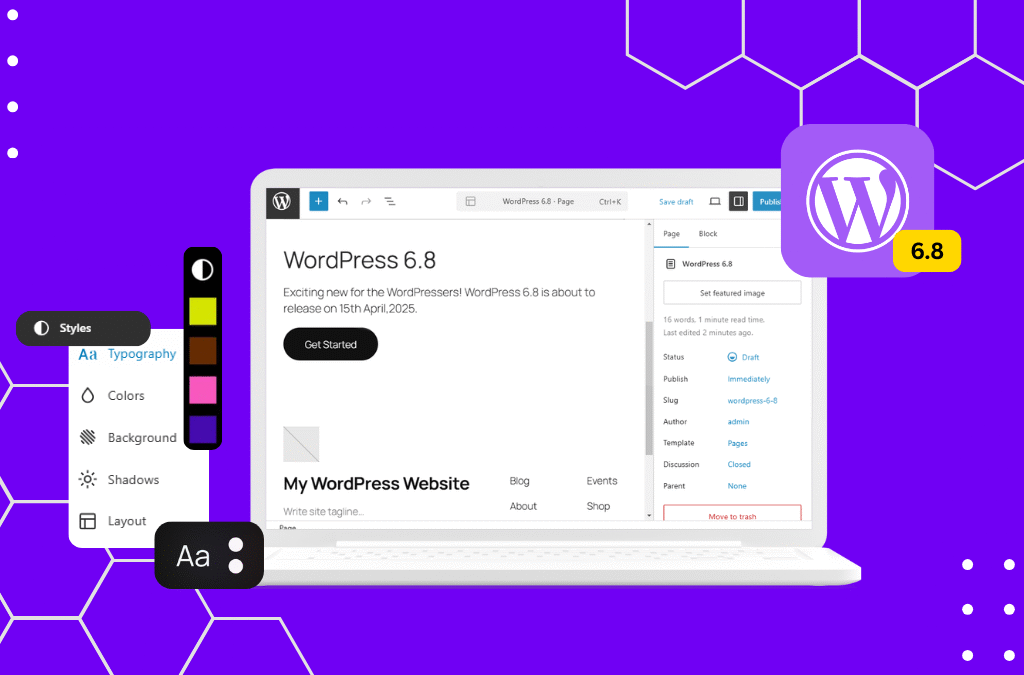
WordPress 6.8, the popular content management system, continues to grow with each new version that is released .In 2025 ,WordPress are expressing the latest version, WordPress 6.8. In this article we will dive into the new features and improvements introduced in WordPress 6.8, while also exploring the best hosting provider to power your WordPress website.

What is the latest 2025 WordPress version ?

As of 2025, today’s release of WordPress is WordPress 6.8 released in April 2025.This version keeps the platform’s evolution closer to faster overall performance, deeper customization, and seamless web page enhancing site editing.. Whether you’re a blogger, commercial enterprise owner, or developer, WordPress 6.8 represents the latest milestone in this journey and gives the whole thing you need through introducing several exciting new features and improvements.

What is new in WordPress 6.8 ?

WordPress 6.8 introduces several updates and enhancement that make website management and content creation a breeze. Some of the key features in this version include:

  1. Next-Gen Site Editor

The block-based website editor has reached complete maturity in 6.8. You can now layout your whole website – headers, footers, and templates – without touching a single line of code. The new editor interface is smoother, faster, and more intuitive, making customization effortless even for beginners.

  1. Enhanced Performance

Speed has usually been a priority for WordPress, and WordPress 6.8 takes it similarly. With optimized caching and reduced database queries, websites now load up to 25% quicker than before. Pairing this version with a satisfactory host like Hostinger guarantees that your site runs at lightning speed globally.

3. Smarter Media Handling

Uploading and dealing with pics is now simpler way to asynchronous image optimization and automatic WebP conversion, making sure higher high-quality at smaller file sizes. This development boosts both person experience and search engine optimization performance.

4. Accessibility Upgrades

WordPress 6.8 consists of extra than 60 accessibility improvements, making websites more inclusive. Features like higher keyboard navigation and display reader support assist ensure your content is usable by anybody.

5. Advanced Design tools

For creators who love visuals, new design gear in WordPress 6.8 allow deeper shade manipulate, gradient customization, and typography flexibility. These additions make it easy to craft a expert brand identity without delay inner WordPress.

6. AI Assisted Writing Suggestions

One of the most interesting additions is the AI content material suggestion tool, designed to assist creators draft posts faster and greater efficiently. This non-compulsory characteristic offers headline ideas, define era, and style tips – a perfect addition for bloggers and marketers.

Which version of WordPress is best ?

The quality version of WordPress is constantly the present day and 6.8 is currently the maximum solid, secure, and feature-rich release available. Older versions like 6.7 or 6.6 lack key performance updates and protection patches which are now trendy in 6.8.

If your purpose is to develop visitors, monetize content, or combine AI gear, WordPress 6.8 is your first-class preference. It combines complete-website online enhancing freedom with better SEO help, making it best for content material creators, educators, and associate entrepreneurs alike.

For the pleasant performance, ensure your web site runs on Hostinger WordPress Hosting. Hostinger’s one-click installation, LiteSpeed servers, and automated updates keep your WordPress 6.8 site optimized.

Conclusion

WordPress 6.8 sets new standard for performance, simplicity and creativity.With an expanded site editor, improved AI tools and sharper design experience. For those seeking the best version of WordPress, WordPress 6.8 offers best features and security enhancement.

If you’re ready to start your journey, choose a fast and secure hosting solution like Hostinger – the perfect match for the power of WordPress 6.8. From setup to optimization, it’s designed to help your site thrive in the digital age.