How Developers Use AI

How Developers Use AI to Increase Productivity in 2026

Understanding how developers use AI is critical not only for engineers but also for businesses, startups and content creators looking to stay competitive in a rapidly evolving digital economy. Artificial Intelligence is no longer a futuristic concept in software development – it is a daily productivity multiplier.

In 2026, developers across industries are using AI to write code faster, reduce bugs, automate repetitive tasks and focus on solving higher-level problems. This article provides a deep, practical and SEO-focused breakdown of how AI is transforming developer productivity, the tools involved, real-world workflows and future trends.

Why AI Has Become Essential for Developers

Modern software development is complex. Developers are expected to:

  • Ship features faster
  • Maintain clean, scalable code
  • Debug across large codebases
  • Handle documentation, testing and deployment
  • Keep up with rapidly changing frameworks

AI addressesn these challenges by acting as a productivity assistant, not a replacement. When used correctly, AI reduces cognitive load and accelerate execution.

Key reasons developers rely on AI today:

  • Faster development cycles
  • Reduced burnout
  • Improved code quality
  • Better learning and onboarding

Understanding how developers use AI starts with recognizing that productivity is not about writing more code – it’s about writing the right code efficiently.

1. How Developers Use AI for Faster Code Writing

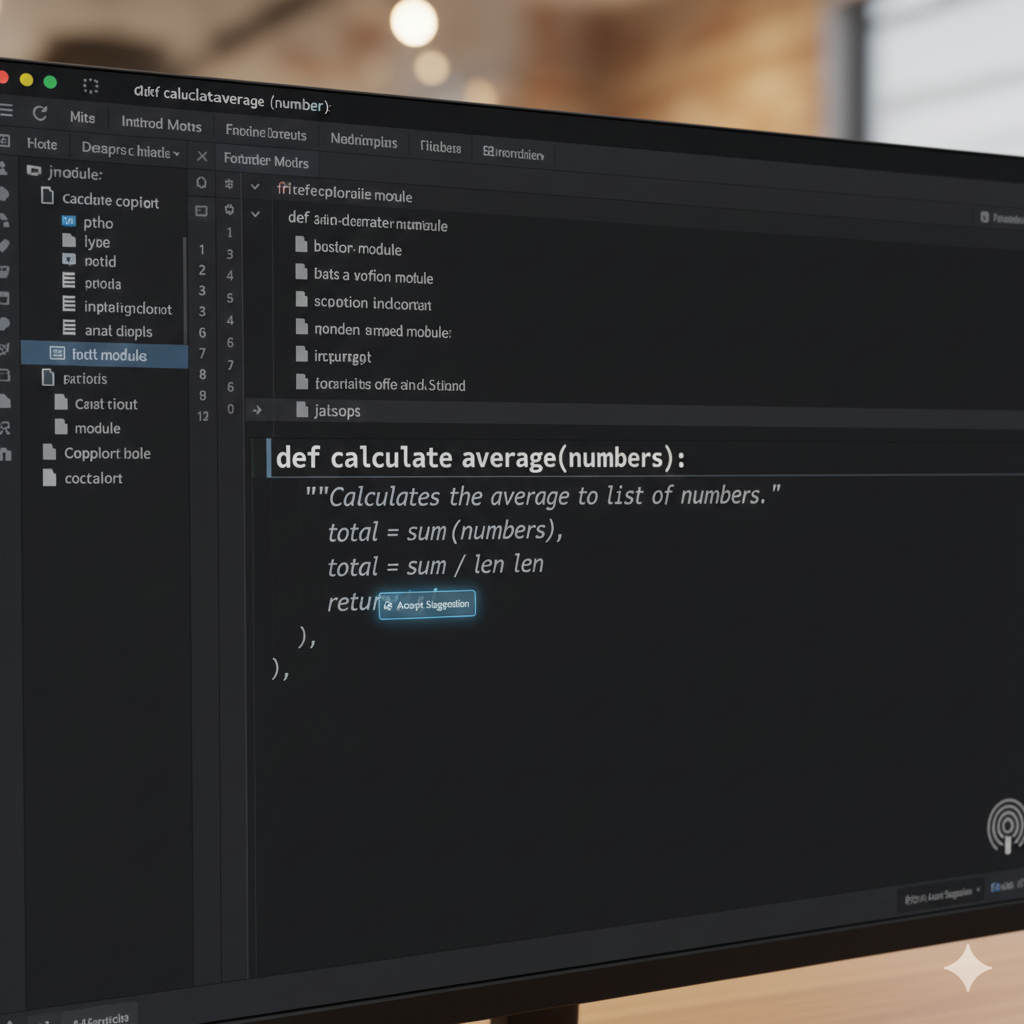
One of the most impactful ways developers use AI is for code generation and completion.

AI-Powered Code Assistance

AI tools can:

  • Autocomplete lines and function
  • Generate entire components from comments
  • Convert natural language into code
  • Suggest syntax and best practices in real time

This dramatically reduces time spent on boilerplate and repetitive patterns.

Example workflow:

A developer writes a comment such as:
“Create a REST API endpoint to fetch users with pagination”

This AI instantly generates a working function with parameters, error handling and return values.

How Developers Use AI

Productivity impact:

  • Faster prototyping
  • Fewer syntax errors
  • Increased development velocity

This is one of the clearest examples of how developers use AI to save hours every week.

2. How Developers Use AI to Debug and Fix Errors

Debugging is traditionally one of the most time-consuming aspects of development. AI has transformed this process.

AI-Assisted Debugging

Developers now use AI to:

  • Analyze error logs
  • Explain stack traces in plain language
  • Identify root causes of bugs
  • Suggest fixes and refactors

Instead of manually tracing issues across multiole files, developers can paste an error message into an AI assistantnand receive structured guidance.

How Developers Use AI

Benefits:

  • Faster issue resolution
  • Reduced frustration
  • Improved understanding of complex bugs

This approach is especially valuable for junior developers, making debugging a learning experience rather than a blocker.

3. How Developers Us AI for Code Refactoring and Optimization

Code quality directly impacts long-term productivity. Developers increasingly rely on AI to keep codebases clean and maintainable.

AI-Driven Refactoring

AI tools help developers:

  • Identify redundant or inefficient code
  • Suggest netter algorithms
  • Enforce coding standards
  • Optimize performance bottlenecks

For large projects, AI can analyze entire repositories and recommend improvements across multiple files.

How Developers Use AI

Why this matters:

  • Reduced technicl debt
  • Easier collaboration
  • Improved performance

This is a powerful demonstration of how developers use AI not just to write code – but to improve it continuously.

4. How Developers Use AI for Documentation and Comments

Documentation is essential – buit often neglected due to time constraints. AI has significantly improved this area.

Automated Documentation Generation

Developers use AI to:

  • Generation function and class documentation
  • Create README files
  • Write API documentation
  • Summarize complex logic

By analyzing code context, AI can produce accurate, readable documentation in seconds.

How Developers Use AI

Productivity gains:

  • Faster onboarding for new developers
  • Better collaboration
  • Reduced knowledge silos

Good documentation is now achievable without slowing development.

5. How Developers Use AI for Learning and Skill Growth

AI has become a powerful learning companion for developers at all experience levels.

AI as a Personal Tutor

Developers use AI to:

  • Learn new programming languages
  • Understand unfamiliar frameworks
  • Get explanations of complex concepts
  • Compare different approaches to solving problems

Instead of searching multiple tutorials, developers ask AI targeted questions and receive contexual explanations.

How Developers Use AI

Impact on Productivity:

  • Faster skill acquistion
  • Reduced context switching
  • Increased confidence

This learning acceleration is a major factor in how developers use AI to stay competitive.

6. How Developers Use AI for Testing and Quality Assurance

Testing is essential but time-intensive. AI significantly reduces the effort required.

AI-Genrated Tests

Developers use AI to:

  • Generate unit tests
  • Create edge-case scenarios
  • Identify missing test coverage
  • Suggest test data

AI can analyze code and automatically produce meaningful tests that align with logic and expected behavior.

How Developers Use AI

Results:

  • Higher test coverage
  • Fewer production bugs
  • Faster releases

AI makes testing a proactive step rather than a last-minute chore.

7. How Dvelopers Use AI for Frontend and UI Development

Frontend development involves design, responsiveness, accessibility and performance. AI assists across alla these areas.

AI-Assisted UI Creation

Developers use AI to:

  • Generate HTML/CSS from design prompts
  • Convert designs into components
  • Optimize layouts for responsiveness
  • Improve accessibility compliance

AI can even suggest color contrast improvements and semantic HTML changes.

How Developers Use AI

Advantages:

  • Faster UI prototyping
  • Better design consistency
  • Reduced manual styling work

This is especially valuable for full-stack developers handling both backend and frontend tasks.

8. How Developers Use AI for Backend and API Development

Backend development often involves repetitive logic, data handling and integration work- areas where AI excels.

AI in Backend Workflows

Developers use AI to:

  • Generate REST and GraphQL APIs
  • Write database queries
  • Design authentication flows
  • Handle data validation and error handling

AI reduces boilerplate wile enforcing best practices.

How Developers Use AI

Productivity impact:

  • Faster backend setup
  • Cleaner architecture
  • Reduced implementation errors

9. How Developers Use AI for Project Planning and Architecture

AI is increasingly used beyond code – to assist with planning and decision-making.

AI-Driven Planning

Developers use AI to:

  • Break features into tasks
  • Suggest architecture patterns
  • Estimate imlementation complexity
  • Generate technical specifications
How Developers Use AI

This allows teams to start projects with clearer direction and fewer redesigns later.

10. How Developers Use AI to Automate Repetitive Tasks

Repetitive tasks drain productivity. AI helps automate them.

Automation Use Cases

Developers useAI to:

  • Write scripts
  • Manage deployments
  • Generate commit messages
  • Summarize pull requests

This automation frees time for creative and complex problem-solving.

Best Practices for Using AI Without Losing Code Quality

While AI boosts productivity, developers must use it responsibly.

Best Practices:

  • Always review AI-generated code
  • Understand the logic before deploying
  • Avoid blindly copying outputs
  • Use AI as an assistant, not a crutch
How Developers Use AI

Teams that follow these principles gain speed without sacrificing reliability.

Future of Developer Productivity with AI

Loking ahead, how developers use AI will continue to evolve:

  • AI agents managing entire features
  • Context-aware assistants across repositories
  • Deeper integration with CI/CD pipelines
  • Predictive debuggig and optimization

AI will not replace developers but developers who use AI effectively will outperform those who don’t.

Conclusion

In 2026, productivity is no longer defined by how fast you type – it’s defined by how intelligent you work. Understanding how developers use AI reveals a clear pattern: AI is a force multiplier that enhances speed, accuracy, learning and creativity.

From writing and debugging code to testing, documentation, UI design and project palnning, AI has become an indispensable partner in modern development workflows. Developers who adopt AI strategically are not just working faster – they are working smarter.



Top AI Tools for Web Developers

Top AI Tools for Web Developers in 2026

Before we explore on top AI tools for web developers, we must understand that web development in 2026 is dramatically different from even a few years ago. Developers are no longer writing every line of code manually. Instead, new generation of AI tools is helping professionals and hobbyists build, design, test and deploy applications faster, smarter and more efficiently.

In this comprehensive guide, we’ll explore the top AI tools for web developers in 2026 – covering everything from AI-assisted coding, UI design, visual prototyping, no-code/low-code site builders and debugging assistants. Each tool is selected based on its real-world value, adoption in the industry and ability to boost productivity.

By the end of this article, you’ll understand which tools are most useful for your workflow-and how to leverage them to stay competitive in a rapidly changing landscape.

What Makes AI Tools Essential for Modern Web Development

Before we dive into the list of the top AI tools for web developers, let’s clarify how AI is reshaping the web development workflow:

  • Automated Code Generation: AI can now write full functions based on text prompts or existing context.
  • Smart Debugging & Refactoring: Instead of manual bug hunts, AI can detect issues and suggest fixes.
  • Rapid Design to Code: Design tools can convert UX sketches into HTML/CSS or React components.
  • Content and SEO Support: AI tools can help generate SEO content, meta descriptions and optimized copy.
  • No-Code and Visual Interfaces: You no longer need to write code for simple web pages-just tell the AI what you want.

The best top AI tools for web developers go beyond just code completion. They help with design, test automation, deployment and full project scaffolding – making them indispensable in 2026.

1. GitHub Copilot – The AI Coding Companion

category: Code Generation & Autocomplete
Best for: All web developers (frontend, backend, full-stack)

GitHub Copilot continues to lead the field as one of the most powerful AI coding assistants available. Embedded into mainstream IDEs like VS Code, JetBrains and others, Copilot understands your code context and suggests full blocks of code, documentation and even tests.

Top AI Tools for Web Developers

Key Features:

  • Real-time AI code suggestions
  • Supports multiple languages (JavaScript, TypeScript, Python, PHP, etc)
  • Documentation generation and code explanations

Why It’s a Top AI Tool for Web Developers:

Copilot drastically reduces the effort needed to write boilerplate and repetitive code, accelerates prototyping and helps developers explore unfamiliar APIs quickly.

2. Tabnine – Privacy Code Completion

Category: AI Coding Assistant
Best For: Teams and developers with sensitive codebases

Tabnine provides AI-powered code predictions that can run locally, protecting prorietary code from being sent to external servers. Its support for over 30 programming languages and deep integration with popular IDE’s makes it a solid choice for teams seeking both performance and privacy.

Top AI Tools for Web Developers

Key Features:

  • On-premises installation available
  • Customizable with VS Code, Sublime, JetBrains, Eclipse

Why It’s Top AI for Web Developers:

Tabnine’s privacy-first approach appeals to enterprise teams and open-source contributors alike, giving them intelligent recommendations without exposing source code externally.

3. ChatGPT (with Developer Plugins) – AI Help Desk for Coding

Category: Multi-use AI Assistant
Best For: Debugging, content generation, API explanation

OpenAI’s ChatGPT has become an indispensible part of many developer’s toolkits. Beyond general language tasks, developers use ChatGPT to generate code snippets, debug errors, write SQL queries and even generate SEO-optimized web content – all from a single platform.

Top AI Tools for Web Developers

Key Features:

  • Natural language to code conversion
  • Debugging and explanation of complex logic
  • API and query generation support

Why It’s Top AI Tool for Web Developers:

ChatGPT bridges the gap between communication and coding – it’s not only a code assistant but also a research and documentation partner.

4. Uizard – AI Powered UI/UX Prototyping Tool

Category: UI Design & Prototyping
Best For: Frontend developers, UX designers

Uizard enables developers to convert sketches, wireframes, or even text descriptions into working UI designs. This tool bridges the gap between design and implementation by providing editable mockups ready for conversion into code.

Top AI Tools for Web Developers

Key Features:

  • Converts hand-drawn concepts into UI layouts
  • Export to HTML/CSS or design framewors
  • Fast prototype creation

Why It’s Top AI Tool for Web Developers:

Uizard drastically reduces the time spent in the design phase, enabling developers to produce responsive designs quickly and share with them clients or teams.

5. Framer AI- Instant Site Design From Prompts

Cattegory: Design to Deploy Platforms
Best for: Designers and full-stack developers who want rapid prototypes

Framer’s AI builder turns text prompts into working responsive layouts. Simply describe the website you want, and Framer will produce a functional draft that developers can refine.

Key Features:

  • Responsive site skeleton generation
  • Built-in animation and integration support
  • Easy export and integration with code

Why It’s a Top AI Tool for Web Developers:

For teams that need to move quickly from concept to function UI, framer’s AI features eliminate much of the early friction in the design process.

6. Webflow AI Assistant – No Code AI-Driven Site Builder

Category: No-Code Web Development
Best For: Marketers, small businesses, startups

Webflow’s AI Site Builder allows developers and non-developers alike to describe what they want in natural language. The AI then creates a responsive, publish-ready site with SEO and layout recommendations.

Top AI Tools for Web Developers

Why It’s a Top AI Tool for Web Developers:

Webflow AI empowers teams to build polished websites without deep coding knowledge, speeding up launches development overhead.

7. TeleportHQ – AI UI Code Generation & Visual Canvas

Category: Visual Development Platforms
Best For: Teams that want no-code UI design with exportable code

TeleportHQ combibes a visual canvas with AI-generated code, allowing developers to design interfaces visually while generating React, Vue or pure HTML/CSS code behind the scenes.

Top AI Tools for Web Developers

Key Features:

  • Drag and drop visual editor
  • Exports to various modern frameworks
  • AI suggestions for UI layout and UX patterns

Why It’s a Top AI Tool for Web Developers:

TeleportHQ is ideal for teams that needed both design flexibility and developer-ready code output – reducing the gap between UI designers and developers.

8. Durable – Lightning Fast AI Website Builder

Category: No-code Web Development
Best For: Rapid site creation for small projects

Durable represents the next wave of rapid AI website builders: describe your business or project and Durable will generate a fully functional, SEO- ready website in under a minute.

Top AI Tools for Web Developers

Key Features:

  • Instant responsive websites
  • Automateed content and SEO
  • Hosting and deployment tools included

Why It’s a Top AI Tool for Web Developers:

Durable is especially useful for freelancers, agencies or startups that need quick prototypes that perform well in search and user engagement.

9. Cursor – AI-First Code Editor with Smart Debugging

Category: AI Coding Environment
Best For: Developers who want deep AI integration in IDE

Cursor offers an AI-native code editor that allows developers to interact with AI directly inside the workspace. It’s designed to understand context across files, perform refactroing and answer questions about your code incremently.

Top AI Tools for Web Developers

Key Features:

  • Context-aware code suggestions
  • Built-in bug detecion tools
  • Enhanced navigation and refactoring

Why It’s a Top AI Tool for Web Developers:

Cursor is ideal for mid and large-scale web projects where developers need AI guidance and powerful project understanding in a single workspace.

10. Google Antigravity – Agent-First AI Development IDE

Category: AI IDE
Best For: Advanced developers and AI agent workflows

Google Antigravity is a cutting-edge AI-powered integrated development environment that uses autonomous agents powered by models like Google Gemini 3 to handle complex tasks, from planning features to generating large code segments.

Top AI Tools for Web Developers

Key Features:

  • Autonomous task delegation
  • Multi-model support
  • Designed for high-productivity teams

Why It’s a Top AI Tool for Web Developers:

Antigravity represents the future of AI-augmented development – where agents can manage oarts of the coding lifecycle without constant human supervision, improving efficiency in large teams.

How to Choose the Right AI Tool for Your Workflow

With so many top AI tools for web developers available in 2026, selecting the right ones depends on your goals:

  1. For Code Generation: GitHub Copilot, Tabnine, Cursor
  2. For Design & Prototyping: Uizard, Framer AI , TeleportHQ
  3. For No-Code/Low-Code Sites: Webflow AI, Durable
  4. For All-Around AI Assistance: ChatGPT (Developer plugin)

Tips for Selection:

  • Evaluate your workflow (coding, design, deployment)
  • Consider integration with existing tools(IDEs, frameworks)
  • Start with free tiers before committing to a paid plans

Conclusion

The landscape of web development in 2026 is rich with innovative AI tools that go beyond simple autocomplete. These platforms are helping developers accelerate workfolws, enhance design processes, reduce bugsm automate deployment tasks, and even create entire sites from prompts.

By leveraging the right mix of tools from this list of top AI tools for web developers, you’ll be positioned to build faster, release more compettitive products, and improve both developer satisfaction and business outcomes.


AI Coding tools

Best AI Coding Tools for Software Developers in 2026

AI is transforming software development faster than any other era in tech history, with the right AI Coding tools. Today’s developers don’t just write code-they collaborate with intelligent systems that help generate, test, debug, document and optimize code inreal time. The following guide dives deep imto the best AI coding tools available in 2026 that every software developer should know – whether you’re beginner, intermediate or seasoned engineer.

In this article you will learn:

  • What makes an effective AI coding tool
  • Detailed breakdowns and comparisons of the top platforms
  • How to choose the right tool for your workflow
  • Tips for maximizing productivity with AI assistance

What Are AI Coding Tools ?

AI coding tools are software applicationa powered by artificial intelligence that help developers automate or accelerate parts of the programming process. These tools can:

  • Autocomplete code and generate entire functions
  • Translate natural language prompts into working software
  • Detect bugs, security vulnerabilities and anti-patterns
  • Comment and document code automatically
  • Suggest architecture and test structures

These capabilities are enabled by advanced large language models(LLMs) and specialized machine learning techniques that understand programming languages, context and project structure. In 2026, AI-assisted development has moved beyond simple autocompletion to intelligent assistants that can actively assist throughout te software lifecycle.

Why Developers Should Adopt AI Coding Tools

Investing time in AI-enabled coding tools now is not just about convenience. It’s about strategic advantage:

  • Boost Productivity: AI tools can write bilerplate, suggest solutions and reduce repetitive tasks.
  • Improve Code Quality: Intelligent analysis finds logic errors and security ussues faster than manual review.
  • Faster Learning: Junior developers can use suggestions and explanations to understand complex code patterns.
  • Better Collaboration: AI can generate documentation and pull request summaries.

With widespread adoption by major tech companies, these tools are increasingly part of standard development workflows.

Top AI Coding Tools for Software Developers in 2026

These tools below are the most effective and widely used AI coding tools in professional development environments today.

1. GitHub Copilot

Best AI coding tool for real-time intelligent code suggestions

Overview:

GitHub Copilot – developed by GitHub in partnership with OpenAI – remains one of the most popular and powerful AI coding tools available. Integrated directly into IDEs such as Visual Code, JetBrains editors and Neovim, Copilot offers context-aware code completion, rapid prototyping assistance and extensive language support.

Key Features:

  • Autocomplete code and entire functions
  • Generate unit tests and boilerplate code
  • Natural language comment interpretation
  • Support multiple languages (Python, JS, Go, Java)
AI Coding tools

Pros:

  • Seamless IDE integration
  • Backend and frontend coverage
  • Strong community adoption

Cons:

  • Subscription-based model

GitHub Copilot is ideal if you want a trusted, general-purpose AI assistant that helps you write better code faster.

2. Tabnine

Best for privacy-focused, customizable AI code generation.

Tabnine is another leading entry in the AI coding tools space that emphasizes data privacy and local customization. It can be trained on your own codebase, making it especially attractive for enterprise environments or proprietary projects.

Key Features:

  • Predictive and whole-line code completion
  • Support for 30+ languages
  • Local model deployment
  • Team training on internal codebases
AI Coding tools

Pros:

  • Strong focus on privacy
  • Custom training improves accuracy

Cons:

  • Requires configuration for maximum benefit

Tabnine is great for teams and individual developers who prioritize control over data and customization.

3. Replit Ghostwriter

Ideal cloud-based AI pair programmer.

Replit Ghostwriter integrates AI directly into the Replit cloud IDE, allowing developers to build, debug and prototype without local setup. It’s cloud-native nature makes it easy to collaborate and share work.

Key Features:

  • Code generation and real-time suggestions
  • Cross-browser accessibility
  • Collaborative workspace and shared coding
  • Bug detection and explanation support
AI Coding tools

Pros:

  • No local setup required
  • Works from any device
  • Great for education and learning

Cons:

  • Requires internet connection

Replit Ghostwriter shines for prototyping and remote collaboration.

4. Amazon CodeWhisperer

Best for AWS- centric and enterprise development.

Amazon CodeWhisperer is tailored to developers working within the AWS ecosystem. It helps generate code snippets aligned with AWS practices and detects potential security risks.

Key Features:

  • Connects with AWS SDKs and services
  • Productivity and compliance suggestions
  • Real-time recommendations
AI Coding tools

Pros:

  • AWS-centric automation
  • Integrated security insights

Cons:

  • Best value inside AWS-focused projects

Use CodeWhisperer if you ‘re building cloud application on AWS infrastructure.

5. Codeium

Free alternative to Copilot with broad language support.

Codeium is a capable AI coding tool that offers autocomplete, chat assistance and code generation for free. It supports over 70 languages and various IDEs, making it especially useful for cost-aware developers.

AI Coding tools

Pros:

  • Free tier with generous features
  • Quick setup and responsive UI

Cons:

  • Sometimes less accurate than paid counterparts

Codeium is perfect for hobbyists, students and early-stage developers.

6. Cursor

AI-powered code editor for advanced workflows.

Cursor is an emerging tool that feels like a hybrid between a full IDE and an AI coding assistant. It provides deeper context handling, cross-file understanding and code reasoning that goes beyond line-by-line suggestions.

AI Coding tools

Pros:

  • Deep understanding of project structure
  • Excellent for refactoring and large projects

Cons:

  • Relatively new and evolving

Consider Cursor if you want more than basic autocomplete – especially for large or complex codebases.

7. Claude Code (Anthropic)

Agent-style AI coding assistant.

Anthropic’s Claude Code focuses on reasoning and deeper code analysis. It is available as a web app and CLI, making it a flexible tool for developers who need context-aware code generation and explanation.

AI Coding tools

Pros:

  • Clear reasoning focus
  • Suitable for complex tasks

Cons:

  • Web-based features may require subscription

Claude Code is useful for developers needing intelligent assistance on logic-heavy coding problems.

8. Google Antigravity IDE

Agent-driven integrated development environment.

Google Antigravity merges powerful AI models with an IDE experience, enabling developers to delegate complex tasks to AI agents powered by cutting-edge models like Gemini.

Pros:

  • Sophisticated AI collaboration
  • Built on Google’s Gemini ecosystem

Cons:

  • Stil in early preview stages

Antigravity appeals to developers seeking the most advanced integration of AI agents into daily workflows.

How to Choose the Best AI Coding Tools for You

Selecting the right AI coding tools depends on your goals and workflow:

1. Identify Your Use Case

  • Daily coding assistance: Copilot, Tabnine, Codeium
  • Cloud and enterprise: Amazon CodeWhisper, Antigravity
  • Learning and prototyping: Replit Ghostwriter

2. Evaluate IDE Compatibility

Choose tools that integrate with your preferred development environment (VS Code, JetBrains, Vim, cloud IDEs).

3. Consider Data Privacy

If working on proprietary or sensitive code, prioritize tools that offer on-premises or local model options.

4. Balance Cost vs Value

Free tools may suffice for casual projects, but professional environments may benefit from premium offerings.

Tips to Maximize Productivity With AI Coding Tools

Leverage Prompt Best Practices

  • Write clear natural language prompts
  • Include context and examples

Use AI for Repetitive Tasks

  • Generate tests, boilerplate and documentation

Combine Tools Strategically

  • Use Copilot for autocomplete
  • Use AI debugging tools for error analysis

Review AI-Generated Code Carefully

AI helps accelerate tasks but should not replace human review – always check logic and security implications.

Future Trends in AI Coding Tools

In 2026 and beyond, expect:

  • Intelligent AI agents that handle entire features or workflows
  • Deeper integration with version control and CI/CD
  • Context-aware coding assistants that learn team patterns

These advancements mark a shift from simple suggestions toward AI partner systems that transform development fundamentally.

Conclusion

The best AI coding tools in 2026 provide developers with unmatched assistance in writing, debugging and optimizing software. Whether you’re just starting or building complex systems at scale, there’s a tool tailored to your needs – from GitHub Copilot’s robust autocomplete, to Cursor’s advanced context understanding, to Amazon’s cloud-optimized recommendations.

Adopt the right tools and workflows today and you’ll gain not just speed. but also clarity, efficiency and confidence in your code.

affiliate programs

Best Affiliate programs for Beginners in 2026

Affiliate marketing remains one of the most accessible ways to start earning online through affiliate programs, especially for beginners looking to build passive income. With the right affiliate programs, you can promote products or services and earn commissions- often without holding inventory or providing customer support. This article will guide you through the top affiliate programs ideal for beginners, how they work, what makes them beginner-friendly and strategies to maximize your earnings.

Table of Contents

  1. Why choose Affiliate Marketing?
  2. What to look for in Affiliate Programs
  3. Top Affiliate Programs for Beginners
    • Amazon Associates
    • ShareAsale
    • Commission Junction (CJ Affiliate)
    • Rakuten Marketing
    • ClickBank
    • Shopify Affiliate Program
    • Awin
    • Bluehost Affiliate Program
    • FlexOffers
    • Impact
  4. How to choose the Best Affiliate Programs for Your Niche
  5. Tips for success with Affiliate Marketing
  6. Common Mistakes to Avoid\
  7. Final Thoughts

1. Why choose Affiliate Marketing?

Affiliate marketing allows individuals to earn commissions by promoting other brands’ products or services online. It’s ideal for beginners because:

  • There’s no need to create your own
  • Start-up costs are usually low or zero
  • You can scale income over time
  • It fits many formats – blogs, videos,social media,email

For anyone starting out, selecting the right affiliate programs is crucial because it affects your conversion rates and long-term earnings potential.

2. What to look for in Affiliate Programs

Before we dive into list, understand the key characteristics of strong affilaite programs:

  • High commission rates: Especially for digital products or recurring services
  • Good conversion tracking: Ensures you receive credit for referred sale
  • Relable payment terms: Timely payments with low minimums
  • Product relevance: Products your audience actually wants
  • Support and resources: Marketing materials, tracking dashboards

3. Top Affiliate Programs for Beginners

Below are some of the best and most trusted affiliate programs that are excellent for beginners in 2026. Each has strengths depending on your niche and traffic potential.

Amazon Associates

Best for: General niche blogs, product reviews sites
Commission: 1%-10% depending on product category

Why it’s great for Beginners:

Amazon Associates is arguably the most popular affiliate program for beginners because almost everyone knows Amazon and trust it. The approval process is straightfoward, and you can link nearly any product on Amazon’s platform.

affiliate programs

Pros:

  • Huge product selection
  • High conversion rates due to trust
  • Easy to integrate links and widgets

Cons:

  • Lower commission rates compared tp digital products

ShareAsale

Best for: Beginners with niche sites across fashion, tech, lifestyle
Commission: Varies by merchant

Why it’s great for Beginners:

ShareAsale is an affiliate network that hosts numerous brands under one roof. This means access to thousands of affiliate programs without applying to each separately.

affiliate programs

Pros:

  • Access to many merchants
  • Easy dashboard for tracking
  • Newbie-friendly

Cons:

  • Some merchants have strict approval policies

CJ Affiliate (Commission Junction)

Best for: Bloggers and influencers ready for higher earnings
Commission: Varies by advertiser

CJ Affiliate is one of the oldest and most reputable affiliate networks. It features well known brands and sophisticated reporting tools.

affiliate programs

Pros:

  • High-quality merchants
  • Strong tracking and reporting
  • Reliable payment history

Cons:

  • Some programs require higher traffic

Rakuten Marketing

Best for: Established bloggers and content creators
Commission: Varies by program

Rakuten is another established affiliate network that connects publisher with global brands. The platform is robust and widely respected.

affiliate programs

Pros:

  • Golobal merchant access
  • High-quality brands
  • Trusted platform

Cons:

  • Can be slightly complex for new affiliates

ClickBank

Best for: Digital products, high-commission opportunities
Commission: Up to 75% in some cases

ClickBank is renowned for digital products such as ebooks, courses, and software typically with very high commission rates.

affiliate programs

Pros:

  • Large digital product marketplace
  • High payout potential
  • Low barrier to entry

Const:

  • Some products are low quality – choose carefully

Shopify Affiliate Program

Best for: Business, e-commerce, and marketing content creators
Commission: High payouts for referrals to shopify plans

Shopify has grown rapidly, making its affiliate program lucrative for creators focusing on business and e-commerce.

affiliate programs

Pros:

  • High commissions for new merchants
  • Strong brand credibility

Cons:

  • Audience must be interested in launching stores

Awin

Best for: Beginners with lifestyle, travel, subscription content
Commission: Varies widely across merchants

Awin is a global affiliate network with brands spanning many industries. It’s beginner-friendly and broad in scope.

affiliate programs

Pros:

  • Thousands of affiliate partners
  • Trusted network
  • Multiple niches

Cons:

  • Some approval processes can delay start

Bluehost Affiliate Program

Best for: Tech blogs, web hosting tutorilas, beginners building WordPress sites
Commission: Up to $65+ per qualified referral

Bluehost is a widely recommended hosting provider. It’s affiliate program is simple and pays well for hosting sign-ups.


affiliate programs

Pros:

  • High payout per sale
  • Easy to promote
  • Often converts well for tech audiences

Cons:

  • One-time payment (no recurring)

FlexOffers

Best for: Bloggers and sites with diverse traffic sources
Commission: Varies by advertiser

FlexOffers is another affilate network with a mix of renowned brands and verticals.

affiliate programs

Pros:

  • Reliable payouts
  • Variety of offers
  • Good reporting tools

Cons:

  • Interface can be overwhelming at first

Impact

Best for: Mid-level content creators and influencers
Commission: Varies by program

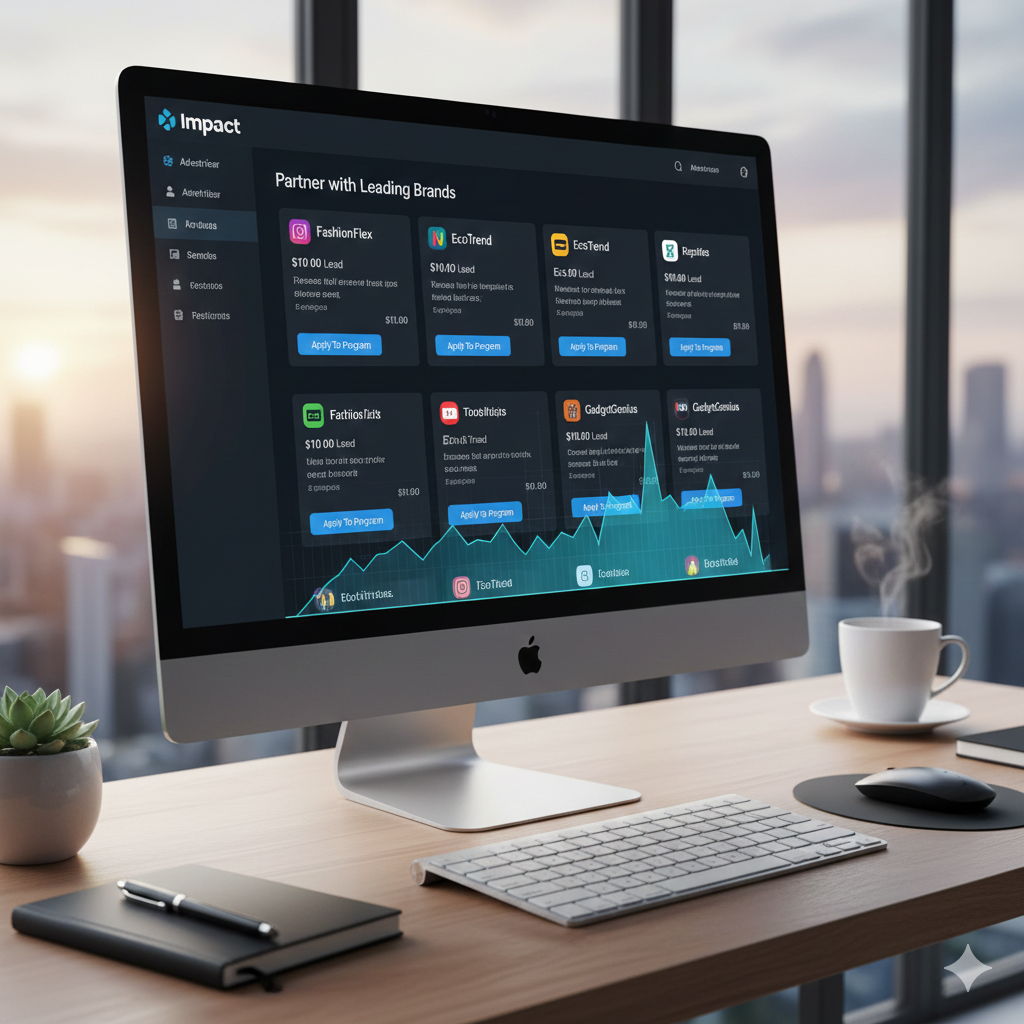
Impact’s affiliate network includes well-known brands and provides advanced tracking tools suitable for scaling affiliate earnings.

affiliate programs

Pros:

  • Strong tracking tools
  • Diverse partnerships
  • Scalable for growth

Const:

  • Not always best for absolute beginners

4. How to Choose the Best Affiliate Programs for your Niche

Not all affiliate programs will perform equally for everyone. Follow these steps to choose the best ones:

a. Consider Conversion Likelihood

Understand programs where your audience is likely to convert. Familiar brands with trust usually perform better if the audience is already interested.

b. Know Your Audience

Understand your audience’s interests and needs. If you run a fitness blog, priotize health and fitness affiliate links. If you create tech reviews, lean into tech-related affiliate programs.

c. Check Commission Structure

Evaluate pay rate, recurring vs one-time payouts, cookie duration and payment thresholds.

d. Evaluate Support and Marketing Materials

Some programs provide banners, email templates and creative assets. These can help accelerate conversions.

5. Tips for Success with Affiliate Marketing

Success isn’t automatic. Hers’s how beginners can get results:

a. Create High-Quality Content

Your content should be useful, original and solve problems. Aim for long-form reviews, tutorials and comparison posts.

b. Use Multiple Traffic Sources

Don’t reply on one source. Grow email lists, search traffic, social platforms and YouTube.

c. Optimize for SEO

Integrate your keyword strategically in titles, headers, meta descriptions, and throughout your content without keyword stuffing.

d. Track and Improve

Use analytics and affiliate dashboards to see which programs and links perform best.

e. Disclose Affiliate Links

Be transparent with your audience. Compliance builds trust and maitains credibility.

6. Common Mistakes to Avoid

Be aware of these pitfalls:

a. Promoting Too Many Offers at Once

Overwhelming visitors with too many links reduces conversions. Focus on relevance.

b. Choosing Only High-Commission Programs

High commission doesn’t guarantee sales. Balance rate with audience interest.

c. Ignoring SEO Best Practices

Without SEO focus, your content won’t reach organic traffic, limitting earning potentiall.

d. Not Checking Analytics Regularly

Failing to monitor performance means missing optimization opportunities.

7. Final Thoughts

Affiliate marketing is one of the most accessible ways to earn online, and selecting the right affiliate programs is foundational to your success. Beginners should start with reputable, beginner-friendly programs like Amazon Associates, ShareAsale, ClickBank, and Bluehost, while gradually testing higher-earning networks like CJ Affiliate, Shopify, or Awin as they gain experience and traffic.

Consistency, valuable content creation, and strategic promotion will significantly increase your chances of success. With patience and persistence, affiliate marketing can transform into a significant income stream, even if you’re just starting out.

how to make money

How To Make Money From a Website: A Complete Beginners Guide (2025)

If you have ever searched how to make money online, chances are you’ve encountered confusing advice, unrealistic claims, or outdated strategies. Building a website is easier than ever – but turning that website into a steady source of income is where most people struggle. The truth is , making money from a website is absolutely possible, but only if you follow proven, ethical and scalable methods.

In this in-depth guide, you’ll learn how to make money from a website using strategies that actually work in 2025. Whether you’re starting from scratch or already have a site with some traffic, this article will show you excatly what to do, how long it takes and how to maximize earnings using Google AdSense, affiliate marketing and other monetization methods.

Why a Website Is One of the Best ways to Make Online

A website is a digital asset. Unlike social media platforms where algorithms change overnight, a website gives you ownership, control and long-term income potential. You can refer to my previous post on this.

Benefits of Making Money With a Website:

  • Passive income potential
  • Multiple monetization options
  • Global audience reach
  • Scales with traffic growth
  • Works 24/7
how to make money

Learning how to make money from a website means you’re building something that can earn for years with the right strategy.

Step 1: Choose the Right Website Niche

Your niche determines:

  • How much traffic you can get
  • How much advertisers pay
  • How well affiliates convert

High-Earning Website Niches:

  • Technology & gadgets
  • Finance & investing
  • Online education
  • Digital marketing
  • Health & fitness
  • Software & tools
  • Blogging & SEO

To succeed at how to make money online, choose a niche that balances:

  1. High search demand
  2. Monetization potential
  3. Your interest or knowledge

Step 2: Build a Professional website

You don’t need advanced coding skills to create a website.

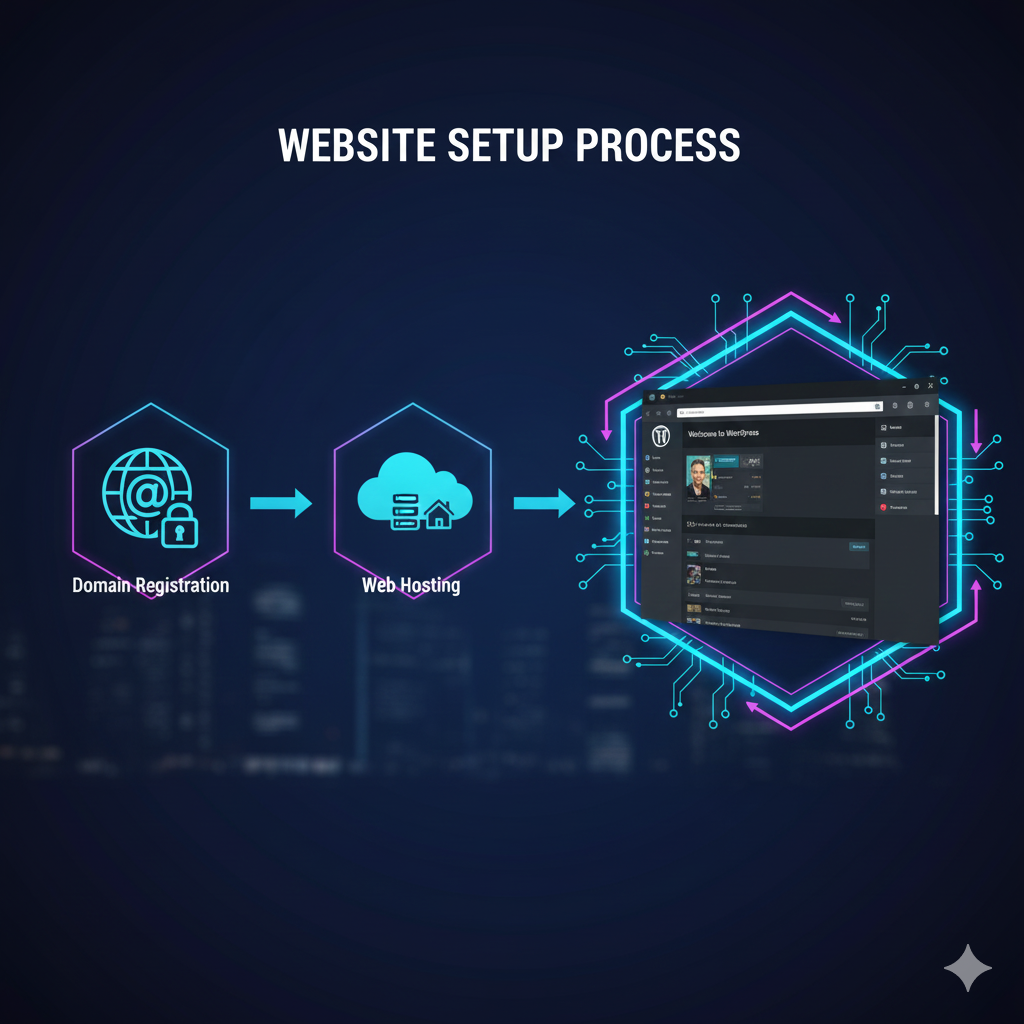
What You Need:

  • Domain name
  • Web hosting
  • CMS

WordPress powers over 40% of all websites because it’s SEO-friendly and perfect for monetization.

Essential Pages for AdSense Approval:

  • About Us
  • Contact Us
  • Privacy Policy
  • Terms & Conditions
how to make money

These pages build trust, which is crucial if you want to learn how to make money legally and sustainably.

Step 3: Create High-Quality, SEO-Optimized Content

Content is the foundation of every successful money-making website.

What Type of Content Makes Money?

  • How-to guides
  • Tutorials
  • Product reviews
  • Comparisons
  • Listicles
  • Problem-solving articles

Google favors content that:

  • Answers user intent
  • Is long-form (1500 – 2500 words)
  • Includes keywords naturally
  • Has good readability

If your goal is how to make money, your content must help users solve real problems.

Step 4: How to Make Money With Google AdSense

Google AdSense is one of the easiest ways to start earning.

How AdSense Works:

  • Google shows ads on your website
  • You earn money when users view or click ads

Requirements for AdSense Approval:

  • Original content
  • Clean website design
  • Consistent traffic
  • Legal compliance pages

Best Practices for Higher AdSense Earnings:

  • Write long-form content
  • Focus on high-CPC niches
  • Optimize ad placement
  • Improve page speed
how to make money

AdSense is deal for beginners learning how to make money from a website with minimal effort.

Step 5: Affiliate Marketing (Highest Earning Method)

Affiliate marketing means promoting products and earning a commission for each sale.

Why Affiliate Marketing Works:

  • No product creation
  • High commissions
  • Passive income potential
  • Scales with traffic

Popular Affiliate Programs:

  • Amazon Associates
  • Software and SaaS tools
  • Hosting companies
  • Online courses
  • Electronics brands

Best Affiliate Content Types

  • “Best X for Y” articles
  • Product comparisons
  • Tutorials with tools
  • Honest reviews
how to make money

If your website gets targeted traffic, affiliate marketing can outperform AdSense in revenue – making it a core strategy for how to make money online.

Step 6: Sponsered Content and Brand Deals

Once your website gains authority, brands will pay you to:

  • Publish sponsored articles
  • Promote products
  • Feature services

How much Can You Earn?

  • Small sites: $50-$200 per post
  • Medium sites: $300-$1,000 per post
  • Authority sites: $2,000+ per post

This is an advanced method of how to make money, but extremely profitable.

Step 7: Sell Digital Products

Digital prducts offer the highest profit margins.

Examples:

  • Ebooks
  • Online
  • Templates
  • Checklists
  • Premium guides

Once created, digital products sell repeatedly without extra cost.

This strategy works best when you:

  • Build trust
  • Solve a specific problem
  • Have consistent traffic
how to make money

Step 8: Email Marketing for Long-Term Income

Email lists allow you to:

  • Build relationships
  • Promote offers repeatedly
  • Increase lifetime value of visitors

How to use Email for Monetization:

  • send helpful content
  • Recommend affiliate products
  • Promote your own products

Email marketing multiples the results of how to make money from your website.

Step 9: Increase Traffic (The Real Income Booster)

If there is no traffic there si no money.

Best Trafic Sources:

  • Google search (SEO)
  • Pinterest
  • Google Discover
  • Email subscribers
  • Social media

SEO Tips for Higher Rankings:

  • Use long-tail keywords
  • Optimize headings
  • Add internal links
  • Improve site speed
  • Update old content
how to make money

The more targeted traffic you get, the easier it becomes to master how to make money online.

Step 10: Combine Multiple Income Streams

Top-earning websites don’t rely on one method.

Best Income Combination:

  • AdSense + Affiliate Marketing
  • Affliate Marketing + Digital Products
  • Ads + Sponsorships

Diversification ensures stable income even if one source declines.

How long Does It Take to Make Money From a Website?

  • 0-3 months: Content creation
  • 3-6 months: Traffic growth
  • 6-12 months: First consistent income
  • 12+ months: Scalable earnings

Learning how to make money from a website is a long-term investment, not a get-rich-quick scheme.

❌ Common Mistakes That Prevent People From Making Money

  • Choosing the wrong niche
  • Publishing low-quality content
  • Ignoring SEO
  • Expecting fast results
  • Not monetizing properly

Avoid these mistakes dramatically increases your success rate.

Conclusion: How to Make Money From a Website Successful

Making money from a website is one of the most reliable ways to earn online in 2025 and beyond. With the right niche, high-quality content, proper SEO, and smart monetization strategies, your website can become a powerful income-generating asset.

If you’re serious about learning how to make money, start today. Publish valuable content, focus on long-term growth and continuously improve. The results may not be instant but they are absolutely achievable.

top tech skills

Top Tech Skills to Learn for a High-Paying Job in 2025 and Beyond

The technology industry continues to reshape how the world works, communicates and earns money with top tech skills. As businesses accelerate digital transformation, professionals with the top tech skills are enjoying unprecedented demand, job security and high salaries. Whether you are a student, a working professional looking to switch careers, or an entrepreneur aiming to future-proof your expertise, learning the right technical skills can open doors to six-figure incomes and global opportunities.

In this comprehensive guide, we will explore the top tech skills to learn for a high-paying job, explain why they matter, how much you can earn and how to get started. This article is carefully optimized for search engines and readers alike, making it one of the most valuable resources on this topic.

Why Learning Top Tech Skills Is Crticial Today

The global job market has changed dramatically. Automation, artificial intelligence, cloud computing and cybersecurity threats are transforming traditional roles. Companies are no longer just hiring degrees – they are hiring skills.

Here’s why mastering top tech skills is essential:

  • Tech jobs pay 30-100% more than non-tech roles
  • Remote work opportunities are abundant
  • Demand far exceeds supply for skilled professionals
  • Skills are transferable across industries
  • Many roles don’t require a formal computer science degree

With that foundation , let’s explore the most valuable and high-paying tech skills you can learn right now.

top tech skills

1. Artificial Intelligence (AI) and Machine Learning (ML)

Artificial Intelligence and Machine Learning sit at the top of the tech hierarchy. These technologies power recommendation systems, self-driving cars, voice assistants, fraud detection and predictive analytics

Why AI & ML Are High-Paying

Companies rely on AI to automate processes, improve decision-making and gain a competitive edge. Skilled AI professionals are scarce, which drives salaries upward.

Key Skills to Learn

  • Python, R
  • TensorFlow, PyTorch
  • Neural Networks
  • Natural Language Processing (NLP)
  • Computer Vision

💰Average Salary

$120,000 – $180,000 per year

Who Shoud Learn This?

  • Software developers
  • Data professionals
  • Engineers
  • Anyone interested in cutting-edge innovation

2. Data Science and Data Analytics

Data is the new oil. Organizations collect massive amounts of data, but without professionals who can analyze and interpret it, data is useless. This is why data science is one of the top tech skills in demand today.

Why Data Science Matters

Businesses use data to:

  • Predict customer behavior
  • Optimize marketing strategies
  • Reduce operational costs
  • Improve products and services

Tools and Technologies

  • Python, SQL, R
  • Power BI, Tableau
  • Excel (advanced)
  • Statistcis and probability

💰Average Salary

$100,000 – $ 150,000 per year

top tech skills

3. Cloud Computing (AWS, Azure, Google Cloud)

Cloud computing has revolutionized how businesses deploy, manage and scale applications. Almost every major company relies on cloud infrastructure, making cloud skills essential and highly lucrative.

Why Cloud Skills Pay Well

  • Companies migrate from on-premise to cloud
  • Cloud reduces osts and increases scalability
  • Certified cloud professionals are trusted and in demand

Popular Cloud Platforms

  • Amazon Web Services (AWS)
  • Microsoft Azure
  • Google Cloud Platform (GCP)

Roles You Can Get

  • Cloud Engineer
  • Cloud Architect
  • DecOps Engineer

💰Average Salary

$110,000 – $170,000 per year

4. Cybersecurity

As technology grows, so do cyber threats. Cybersecurity professionals protect sensitive data, systems and networks from attacks, making this one of the most mission-critical and top tech skills globally.

Why Cybersecurity is Essential

  • Increase in ransomware and hacking
  • Strict data protection laws
  • Massive financial losses due to breaches

Key Areas to Learn

  • Network security
  • Ethical hacking
  • Penetration testing
  • Risk management
  • Security compliance

💰 Average Salary

$105,000 – $160,000 per year

top tech skills

5. Software Development and Programming

Software Development remains the backbone of the tech industry. Skilled developers are needed to build applications, websites, systems and platforms.

In-Demand Programming Languages

  • Python
  • JavaScript
  • Java
  • C++
  • Go

Specializations

  • Web development
  • Mobile app development
  • Backend systems
  • APIs and microservices

💰 Average Salary

$90,000 -$150,000 per year

6. DevOps and Automation

DevOps combines development and IT operations to shorten development cycles and improve deployment efficiency.

Why DevOps Is a top Tech Skill

  • Faster product releases
  • Reduced system downtime
  • Automation improves productivity

Tools to Learn

  • Docker
  • Kubernetes
  • Jenkins
  • Git
  • CI/CD pipelines

💰 Average Salary

$115,000 – $170,000 per year

top tech skills

7. Blockchain Technology

Blockchain is not just about cryptocurrency. It is transforming finance, supply chains, healthcare and identity management.

Why Blockchain Skills Pay Well

  • High technical complexity
  • Limited skilled professionals
  • Growing enterprise adoption

What to learn

  • Smart contracts
  • Solidity
  • Ethereum
  • Decentralized applications (dApps)

💰 Average Salary

$120,000 – $180,000 per year

8. UI/UX Design

Technology must be user-friendly. UI/UX designers ensure digital products are intuitive, accessible and engaging.

Why UI/UX Is Valuable

  • Improves customer satisfaction
  • Increases conversion rates
  • Essential for product success

Tools to Master

  • Figma
  • Adobe XD
  • Sketch
  • User research techniques

💰 Average Salary

$85,000 – $140,000 per year

top tech tools

9. Internet of Things (IoT)

IoT connects physical devices to the internet, enabling smart homes, healthcare monitoring and industrial and automation.

Why IoT is a growing Skill

  • Smart cities development
  • Industry 4.0
  • Healthcare innovation

Key Skills

  • Embedded systems
  • Sensors and hardware
  • Cloud integration
  • Data analytics

💰 Average Salary

$100,000 – $150,000 per year

10. Digital Marketing Technology (MarTech)

Digital marketing is now driven by technology. Professionals who combine marketting with tech expertise earn significantly more.

Tools and Skills

  • SEO and analytics
  • Marketing automation tools
  • CRM platfroms
  • AI-driven marketing

💰 Average Salary

$80,000 – $130,000 per year

top tech tools

How to Start Learning Top Tech Skills

You don’t need a traditional degree to succeed. Many professionals learn through:

  • Online courses and certifications
  • Bootcamps
  • Hands-on projects
  • Open-source contributions
  • Freelancing and internships

Consistency and real-world practice matter more than theory.

Conclusion: The Future Belongs to Skilled Technologists

Learning top tech skills is no longer optional, it is essential. The professionals who invest in high-demand technology skills today will secure high-paying jobs, remote freedom, and long-term career growth.

Whether you choose AI, cloud computing, cybersecurity or software development, the key is to start now and stay consistent. Technology evolves quickly, but skilled individuals will always be in demand.

If your goal is financial stability, professional growth and global opportunities, mastering the top tech skils outlined in this article is the smartest move you can make.

how to start a blog

How to start a Blog That Makes Money (Beginner’s Guide)

Before knowing on how to start a blog that makes money, it is important to understand that starting a blog is one of the most powerful ways to make money online, build a personal brand, and create long-term passive income. But the truth is not all blogs make money.

If you are serious about learning how to start a blog that actually earns, this guide will walk you through everything step by step, even if you have zero technical experience.

By the end of this article, you will know:

◆ How to start a blog the right way
◆ How successful bloggers make money
◆ The biggest mistakes beginners must avoid
◆ A proven roadmap to grow traffic and income

how to start a blog

Why Blogging Is Still Profitable in 2025

Many beginners ask if blogging is still worth it? Te best answer is YES

Here’s why:

  • Google processes 8.5 billion searches per day
  • Businesses pay billions for content marketing
  • Blogs can earn from ads, affiliates, digital products, and services
  • AI tools help bloggers grow faster

Thousands of bloggers earn $1,000-$100,000+ per month using simple proven strategies. But success depends on how you start a blog, not just starting one.

Step 1: Choose a Profitable Blog Niche

If you want to learn how to start a blog that makes money, niche selection is critical.

What Is a Blog Niche ?

A niche is the main topic your blog focuses on.

Best profitable Blog Niches:

  • Personal finance & investing
  • Health & fitness
  • Technology & AI
  • Digital marketting & blogging
  • Travel
  • Education & career
  • Lifestyle & self-improvement

How to Validate a Profitable Niche:

This are the qiestions you need to ask yourself:

  • Are people searching for this topic?
  • Can I solve problems in this niche?
  • Are products/services available to promote?

    So choose a niche that balances passion + profit.
how to start a blog

Step 2: Pick a Domain Name & Hosting

This is where your blog officially begins.

How to choose a Domain Name:

  • Keep it short and memorable
  • Avoid numbers and hyphens
  • Prefer .com
  • Make it brandable

Examples:

  • SmartMoneyGuide.com
  • FitLifeJourney.com

Best Hosting for Beginners:

Reliable hosting improves site speed, SEO and rankings

Top beginner-friendly hosting providers:

Most offers :

  • Free domain
  • 1-click WordPress install
  • SSL security

    WordPress powers 43% of all websites.

Step 3: Install WordPress & Set Up Your Blog

Once hosting is purchased, install WordPress.

Essential Blog Setup:

  • Choose a clean, fast theme like Astra, GeneratePress
  • Set permalink structure to Post Name
  • Create essential pages:
    ✔ About
    ✔ Contact
    ✔ Privacy Policy
    ✔ Disclaimer

    This setup help with trust, SEO and Google approval.
how to start a blog

Step 4: Install Must-Have Plugins

Plugins add functionality to your blog.

Essential WordPress Plugins:

  • Rank Math or Yoast SEO (SEO optimization)
  • WP Rocket or LiteSpeed Cache (speed)
  • Elementor (page builder)
  • UpdraftPlus (backup)
  • Aksimet (spam protection)

    Don’t install too many plugins, it slows your site.

Step 5: Create High-Quality Content

If you want Google to rank your blog, content is the key.

Content Types That Rank:

  • How-to guides
  • Tutorials
  • List posts
  • Product reviews
  • Comparisons

SEO Content Formula:

Target one main keyword per article.
Use keyword in :
➤ Title
➤ URL
➤ First 100 words
➤ Subheadings
➤ Meta description

Example:

Main keyword: how to start a blog
Related keywords can be :

  • how to start a blog for beginners
  • how to start a blog and make money
  • blogging step by step
how to start a blog

Step 6: Monetization Methods (How Blogs Make Money)

This is where blogging turns into income.

1. Affiliate Marketing (Best for Beginners)

Earn commission by promoting products.

Examples:

  • Amazon Associates
  • Hosting affiliate programs
  • Online tools & courses

2. Display Ads

Get paid per impression or click.

Popular ad networks:

  • Google AdSense
  • Ezoic
  • Mediavine

3. Digital Products

  • Ebooks
  • Courses
  • Templates
  • Printables

4. Freelancing & Services

  • Writing
  • Coaching
  • Consulting

    Many bloggers use multiple income streams.
how to start a blog

Step 7: Drive Traffic to Your Blog (SEO Strategy)

Traffic is everything in a blog.

Best Traffic Sources:

  • Google SEO
  • Pinterest
  • Email marketing
  • Social media

Basic SEO Tips:

  • Write long-form content (1500+ words)
  • Optimize images with alt text
  • Internal linking
  • Mobile-friendly design
  • Fast loading speed

How long Until Traffic ?

  • 3-6 months: initial traffic
  • 6-12 months: growth phase
  • 12+ months: consistent income

    Blogging is not a get-rich quick scheme, but it works.

Step 8: Build an Email List

An email list protects you from:

  • Google algorithm updates
  • Traffic drops
  • Platform dependency

How to Build an Email List:

  • Offer a free lead magnet
  • Use email tools (ConvertKit, MailerLite)
  • Add opt-in forms

    Email marketting helps in higher conversions.
how to start a blog

Common Mistakes Beginners Must Avoid

❌ Choosing the wrong niche
❌ Publishing inconsistent content
❌ Ignoring SEO
❌ Expecting fast money
❌ Copying others instead of adding value

Avoiding these mistakes gives you a huge competitive advantage.

How Long Does It to Make Money Bloging?

Realistic timeline:

  • First 3 months – learning
  • 6 months – small income
  • 12 months – $500-$2,000/month
  • 24 months – full-time income possible

    Consistency beats talents.

Final Thoughts: Is Blogging Worth It?

Yes but only if you are willing to:

  • Learn SEO
  • Publish valuable content
  • Stay consistent
  • Be patient

Then learning how to start a blog can change your life.

Blogging offers:
✅ Freedom
✅ Scalability
✅ Passive income
✅ Long-term growth

Ready to Start Your Blog Today?

Start now:

  1. Choose a niche
  2. Get hosting
  3. Install WordPress
  4. Publish your first post
  5. Stay consistent
    Your future income starts with your first blog post.
portable power stations

Top 10 Portable Power Stations for Camping & Emergencies

portable power stations

Whether you’re an outdoor enthusiast, a digital nomad or someone who wants to prepare for emergencies, portable power stations have become must-have devices in 2025. With extreme weather increasing, portable power stations , power outages becoming more common and more people exploring nature, having a reliable source of electricity is no longer a luxury, it is a necessity.

Modern portable power stations are compact, quiet, eco-friendly and powerful enough to run essential devices like:
● Smartphones & laptops
● Mini-fridge
● CPAP machines
● Drones & cameras
● LED lights
● Electric cookers
● Medical emergency equipment

This guide reviews the top 10 portable power stations for camping & emergency, with a blance of power, portability, features, price and reliability. Whether you’re planning a weekend getaway or creating a home emergency setup, you’ll find the perfect pick here.

What to look for in a Portable Power Station

portable power stations

Before diving into the list, here are the key features to consider:

Battery Capacity (Wh)

Determines how long devices can run. More Wh = longer runtime.

Output Ports

Look for multiple USB-C, USB-A, AC outlets, DC outlets and car charger ports.

Recharge Speed

Top models recharge from 0-80% in under an hour.

Solar Charging Compatibility

For camping or emergencies, solar input is essential.

Portability

Weight and handle design matter when travelling.

Build Quality

Durable casing and temperature protection improve longevity.

Here are the Top 10s :

1. EcoFlow DELTA 2 – Best Overall

The EcoFlow DELTA 2 is the king of versatility. With fast charging, large capacity, and incredible durability, it’s ideal for both camping and home emergency setups.

portable power stations

Key Features

● 1024Wh capacity
● 1800W AC output (surge 2200W)
● Multi-device fast charging
● Recharges from 0-80% in 50 minutes
● Expanded battery design

It strikes the perfect balance between price, power, portability and future-proof fetures.

2. Jackery Explorer 1500 Pro – Best for Emergencies

Jackery is one of the most trusted names in portable power stations and the 1500 Pro is their most reliable mid-range beast.

Specs

● 1512Wh battery
● 1200W AC output
● Lightweight for its class
● Ultra-fast solar charging

Best Use Cases

● Power outages
● Medical devices
● High-watt appliances

Its efficiency and excellent customer support make it a top pick for emergency preparedness.

3. Bluetti AC200MAX – Best High-Capacity Power Station

The Bluetti AC200MAX is a powerhouse for serious users or those needing contionous off-grid energy.

portable power stations

Highlights

● 2048Wh battery
● 2200W AC output
● Expandable battery modules
● Multiple AC and DC ports

Why It’s Great

If you need to run a fridge, power tools, or high-demanded electronics, this is one of the most capable portable power stations on the market.

4. Anker PowerHouse 767 – Most Durable Build

Anker is known for quality electronics and their flagship PowerHouse 767 is built like a tank.

Specs

● 2048Wh capacity
● 2300W AC output
● GaNPrime charging technology
● Rolling suitcase-style design

Ideal For

● RV travel
● Disaster emergency kits
● Long camping trips

This model is engineered for longevity, with a 10-year lifespan.

5. Goal Zero Yeti 1000 Core – Best for Long-Term Reliability

Goal Zero’s Yeti 1000 Core is incredibly dependable and designed for harsh conditions.

portable power stations

Key Features

● 983Wh capacity
● 1200W AC output
● Solar-compatible
● High-quality build

Why It Stands Out

Goal Zero’s proprietary battery management system ensures safety and longevity, making it a top pick for emergency use.

6. EcoFlow RIVER 2 Pro – Best Lightweight Option

If you’re a hiker or minimalist camper, the RIVER 2 Pro strikes the perfect balance between portability and performance.

Specs

● 768Wh
● 800W AC output
● Ultra-fast charging (70 minutes)
● Lightweight at 17 lbs

Highlights

● 518Wh capacity
● 500W output
● Lightweight and compact
● Reliable solar compatibilty

Use Cases

● Weekend trips
● Small electronics
● Backup power during storms

7. Jackery Explorer 500 – Best Budget-Friendly Option

For beginners or casual campers, the Explorer 500 offers impressive performance at an affordable price.

portable power stations

Highlights

● 518Wh capacity
● 500W output
● Lightweight and compact
● Reliable solar compatibility

Use Cases

● Weekend tripes
● Small electronics
● Backup power during storms

8. Bluetti EB70S – Best Value for Money

The EB7OS is one of the most balanced portable power stations when comparing price, capacity and versatility.

Features

● 716Wh battery
● 800W AC output
● Wireless charging pad
● Many ports for multiple devices

Why It’s Popular

Affordable, yet versatile enough for both camping and blackout situations.

9. EcoFlow DELTA Mini – Best Compact High-Output Station

The DELTA Mini packs a punch in a compact form.

portable power stations

Specs

● 882Wh
● 1400W AC output
● Fast recharging
● Lightweight

Ideal For

● Digital nomads
● Van lifers
● Small emergency kits

Its performance to-size ratio is one of the best on the market.

10. Zendure SuperBase V6400 – Ultimate Premium Option

This is the most advanced and premium option on the list.

Key Specs

● 6400Wh capacity
● 3800W AC output
● Semi-solid-state battery
● Smart home backup integration

Why It’s Special

If you want a future-proof backup for your home and camping setup, nothing beats the SuperBase V series. It’s like a portable generator without the noise, fumes or maintenance.

How to Choose the Right Portable Power Station for Your Needs

For Camping

● Minimum 500-800Wh
● Lightweight models like RIVER 2 Pro or Jackery 500
● Look for solar compatibility

For Home Emergencies

● 1000-2000Wh recommended
● Models like DELTA 2, Jackery 1500 Pro, AC200MAX

For Van Life / RV

● High-capacity models with 2000-4000Wh
● EcoFlow, Bluetti, Zendure options

For Travel

● Compact, under 20 lbs
● DELTA Mini, RIVER 2 Pro, EB70S

Why Portable Power Stations Are Better Than Gas Generators

Traditional gas generators are:
● Loud
● Heavy
● Require fuel
● Produce fumes
● Unsafe indoors

Modern portable power stations solve all of these problems.

Benefits

● Silent operation
● Safe indoors
● Eco-friendly
● Solar-charging capable
● Minimal maintenance

As technology improves, these stations are quickly replacing gas generator for both camping and emergencies.

Conclusion

From weekend trips to emergency preparedness, portable power stations have changed how we stay connected and safe. With fast charging, solar compatibilty, and large battery capacities, they are now essential tools for modern life.

Whether you need a lightweight model for camoing or a powerhouse for home backup, the top 10 models on this list offer something for every situation. Investing in a high-quality portable power station ensures you’re ready for anything, whether it’s a peaceful night under the stars or an unexpected blackout.


chrome extensions

Top 20 Chrome Extensions You Should Be Using in 2025

chrome extensions

The Chrome Web Store now hosts tens of thousands of tools like Chrome extensions – many helpful, some clutter and others absolutely game-changing. Whether you are student, professional, entrepreneur, content creator, developer or casual browser, choosing the right chrome extension can drastically improve your browsing speed, productivity and online safety. But with so many options, finding the best ones is overwhelming.

That’s why this article breaks down the top 20 Chrome Extensions you should be using in 2025, including tools for:
● Productivity
● Security & privacy
● Online research
● Writing & AI
● Screenshotting & creativity
● Email & workflow automation
● Focus enhancement

Each recommendation includes what it does, why it matters and how it transforms your online experience.

1. uBlock Origin – Best for Powerful Ad & Tracker Blocking

If you install only one chrome extension from this list, let it be uBlock Origin.

Why it is a Must-Have

● Blocks intrusive ads
● Speeds up browsing by reducing page weight
● Protects against trackers, malware and malicious domains
● LIghtweight and efficient

Unlike many ad blockers, this one is open source, fast and extremely effective without slowing down your browser.

2. LastPass – Secure Password Manager

Managing hundreds of passwords is nearly impossible without a good manager. LastPass securely stores everything and auto-fills it in seconds.

Top Features

● One click login
● String password generator
● Multi-device sync
● Emergency access

This chrome extension enhances your digital security without you needing to remember dozens of complex passwords.

3. Grammarly – Writing Assistant for Everything You Type

Whether you’re writing emails, documents, tweets or reports, grammarly enhances clarity, grammar, tone and professionalism.

chrome extensions

Why It’s Essential

● Real-time grammar checks
● Tone suggestions
● Plagiarism checker
● Vocabulary enhancements

Perfect for students, bloggers and professionals.

4. ChatGPT Sidebar – AI Assistant Everywhere You Browse

This chrome extension brings ChatGPT to any webpage, whether you are reserching, writing, summarizing or coding.

What It Can Do

● Summaries of articles & PDFs
● Real-time answers
● Email drafting
● Code explanations
● Template generation

It saves countless hours of research and writing.

5. Honey – Automatic Coupon Finder

Honey scans the web for promo codes and automatically applies them during checkout.

Benefits

● Finds the lowest available price
● Price tracking
● Cashback rewards
● Works on thousands of websites

If you shop online often, Honey pays for itself instantly.

6. Momentum – Beautiful Productivity Dashboard

Turn your blank new-tab page into a motivational control center.

Why Users Love It

● Daily focus goals
● To-do list
● Beautiful photos
● Inspiring quotes

Momentum keeps you centered and productive every time you open a tab.

7. Dark Reader – Dark Mode for Every Website

Dark Reader applies a smooth, customizable dark mode to any website which is great for night browsing.

Reasons to Use It

● Reduce eye strain
● Adjustable brightness and contrast
● Works on all sites
● Attractive dark theme

A must- have for late night researchers, creators and coders.

8. Loom – One Click Screen Recording

Loom lets you instantly record your screen, voice and webcam to create tutorials, walkthroughs, feedback videos or presentations.

chrome extensions

Key Features

● Super fast sharing
● HD recording
● Noise cancellation
● Instant editting tools

Whether you are a teacher, manager or creator this extension is gold.

9. Forest – Stay Focused, Grow a Virtual Forest

Forest is a productivity-focused chrome extension that gamifies staying on task.

How It Works

● Start a timer
● Stay focused
● Grow a digital tree
● If you open distracting sites, the tree dies

It’s simple, fun and incredibly effective for avoiding distractions like Facebook or YouTube.

10. Pocket – Save Anything for Later

Pocket helps you save articles, videos and webpages to read later across any device.

Top Features

● Read-it later library
● Clean reading mode
● Offline access
● Personalized recommendations

Perfect for researchers, students and content consumers.

11. Evernote Web Clipper – Capture Web Content Smartly

Evernote’s Web Clipper allows you to save web content – including articles, full pages, highlights and screenshots – directly into your Evernote workspace.

What Makes It Useful

● Multiple clipping formats
● Annotation tools
● Organizes everything automatically
● Syncs across all devices

Great for research-heavy workloads.

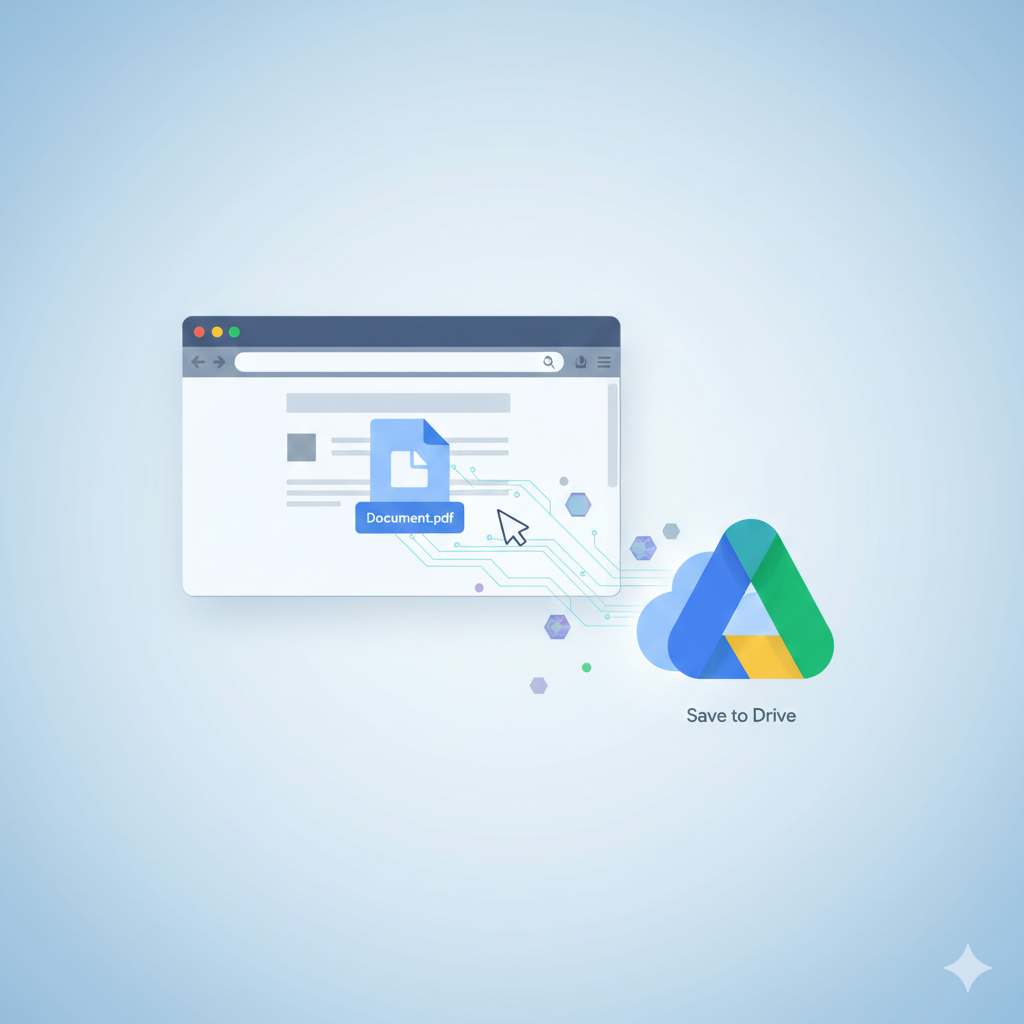
12. Save to Google Drive – One Click Cloud Saving

This chrome extension makes it incredibly easy to save files, images,PDFs or webpages directly into your Google Drive.

chrome extensions

Best For

● Students storing research
● Professionals saving work documents
● Anyone needing fast cloud access

13. ClickUp Extension – All-in-One Productivity Powerhouse

ClickUp’s extension integrates tasks, notes, emails, screenshots, time tracking and calendars innto your browser.

Why It’s Powerful

● Manage tasks anywhere
● Save websites to workspaces
● Time tracking
● Built-in notepad

Ideal for teams or busy professionals who want everything in one place.

14. StayFocused – Block Time-Wasting Websites

StayFocused restricts how long you can spend on distracting websites.

Top Features

● Daily time limit
● Custom block lists
● Nuclear option
● Highly customizable

15. OneTab – Collapse All Tabs to Save Memory

If you constantly have 20-50 open tabs, OneTab is the answer.

Benefits

● Reduces clutter
● Saves 95% memory
● Organizes tabs into lists
● Speeds up Chrome

16. Bitwarden – Free Open Source Password Manager

Bitwarden is a source , reliable and completely free alternative to many paid password managers.

chrome extensions

Highlights

● Zero-knowledge encryption
● Secure password storage
● Multi-device sync
● Open source transparency

17. Nimbus Screenshot & Recorder – Advanced Screen Capture Tool

Nimbus lets you capture entire webpages, fragments or scrolling sections, plus annotate them easily.

Why It Stands Out

● Video recording plus screenshots
● Annotation tools
● Cloud sync
● Editing features

19. Checker Plus for Gmail – Manage Email Without Opening Gmail

Stay updated on your inbox without having to open the Gmail tab.

Features

● Desktop notifications
● Quick reply
● Popup inbox
● Multiple account support

20. HTTPS Everywhere – Encrypted Web Browsing

Created by the Electronic Frontier Foundation (EFF), this chrome extension forces websites to use secure HTTPS connections wherever possible.

chrome extensions

Major Benefits

● Secure your browsing
● Prevents attacks on public Wi-Fi
● Protects personal information
● Automatically upgrades unsafe sites

Essential for anyone concerned with cybersecurity.

Conclusion

With thousands of tools available, choosing the right chrome extension can transform your online life and make all the differences. The 20 listed here are the most effective, reliable and powerful options that genuinely improve your digital workflow, browsing speed, creativity, organization and security.

Whether you’re looking to boost productivity, secure your online identity or streamline your tasks, these chrome extensions offer significant value for everyday use.

quantum computing

How Quantum Computing Could Change Everyday Computing By 2030

quantum computing

A New Era of Computing is Coming

For deacdes, before Quantum Computing, we have relied on classical computers to power every aspect of our daily lives – from smartphones and laptops to banking systems, healthcare platforms, entertainment and global communication. But as the world becomes more complex and data grows exponentially, our current computing system are beginning to reach their limits. This is where Quantum Computing steps in.

By 2030, experts predicts that Quantum Computing will transition from laboratory experiments to real world tools that influence everything from cybersecurity to healthcare to personal AI assistants. For the average person, this technological revolution might feel as transformative as the arrival of the internet or the smartphone.

In this article, we will explore how quantum computing could change everyday computing by 2030, the innovations it will unlock, and why this emerging technology might redefine your digital life sooner than you think.

What is Quantum Computing ?

Classical computers use bits – 0s and 1s – to process information. This bits are fundamental building blocks of all digital tasks.

quantum computing


Quantum Computing, however uses qubits, which can exist as 0,1 or both simultaneously through quantum property called superposition. This means quantum computers can perform many calculations at once, massively boosting their problem solving power

Another key property, entaglement, allows qubits to be interconnected in ways impossible for classical bits, enabling quantum machines to solve highly complex problems that would take today’s fastest supercomputers thousands of years.

By 2030 , this power won’t just benefit scientist or tech giants, it will start to influence ordinary life.

1. Everyday Cybersecurity Will Become Quantum – safe

One of the first and most significant impacts of Quantum Computing will be in cybersecurity.

quantum computing

The Problem

Most digital security today that is banking apps, encrypted messages, Wi-Fi passwords relies on mathematical problems that classical computers cannot easily solve. However Quantum Computers could break this system once they mature.

The Quantum Safe – Future (2030 and beyond)

By 2030 we can expect:
● Quantum safe encryption for smartphones, apps and computers
● Upgraded banking and payment security systems
● New standards for government and corporate cybersecurity
● Quantum resistant VPNs and messaging serivices

2. Personal AI Assistants Will Become Faster and Smarter

quantum computing

By 2030, personal AI assistants – which is now much smarter than ChatGPT, Siri, or Google assistants – will rely heavily on the advancements made possibly by Quantum Computing.

Quantum machines can process vast datasets much more efficiently, enabling:

● More accurate predictions
● Real time language understanding beyond human capability
● Instantenous data processing for complex tasks
● Deep personalization that adapts to your routines and emotions

Example of Quantum – Powered AI in 2030

Imagine an assistant that:
● Plans your entire week dynamically
● Manages finances using real-time optimization
● Learn your habits and preferences instantly
● Detects potential problems before they occur
● Understand complex emotions and responds empathetically

Quantum enhanced AI could redefined the relationship people have with technology, making digital tools feel more like companions than machines.

3. Medicine and Healthcare will Become Hyper-Personalized

One of the most promising frontiers for Quantum Computing is medicine. By 2030, this technology may fundamentally shift how we diagnose illness, create treatments and analyze patient data.

quantum computing

Quantum Computing in Drug Discovery

Quantum Computers can Simulate molecules and chemical reactions with incredible accuracy, something classical computers struggle with. This could lead to:
● Faster discovery of new medicines
● Personalized drug treatments dailored to individual DNA
● Breakthroughs in cancer research
● Accurate simulations of how diseases spread

Everyday Impact

● Faster vaccines and treatments
● AI generated personal health recommendations
● Wearables that predicts health issues before symptoms appear
● More accurate medical diagnoses

With Quantum Computing, healthcare could shift from reactive to proactive potentially saving millions of lives.

4. Financial Systems will Become Smarter and More Stable

Banks, stock markets and financial institutions are investing billions into Quantum Computing research. By 2030, these investments will bring dramatic changes to everyday financial services.

quantum computing

Quantum enhanced financial tools may include:

● Real time fraud detection
● Perfect portfolio optimization
● More accurate economic forecasting
● Superfast transaction processing
● New risk management algorithms

What this means for you

● Fewer credit card issues
● More stable investment marketers
● Smarter robo-advisors
● Personalized savings plans based on quantum simulations
● Minimization of financial crashes with better modelling

Quantum Finance could make global economic systems safer, more transparent and dramatically more efficient.

5. Climate Change Modelling Will Become More Accurate

quantum computing

Climate science requires analyzing unimaginably large datasets, whether patterns, ecosystems, carbon cycles and environmental interactions. Even supercomputers struggle with these simulations.

By 2030, Quantum Computing could enable:
● Ultra-accurate climate forecasts
● Real-time analysis of environmental changes
● Better prediction of natural disasters
● Optimization of renewable energy systems

Everyday benefits

● Fewer blackout risks
● More efficient energy usage in homes
● Improved disaster preparedness
● Smarter city infrastructure powered by quantum-enhanced AI

Quantum Computing might become one of humanity’s strongest tools to combat climate change.

6. Transportation Will Become Efficient and Autonomous

quantum computing

Quantum-enhanced transportation by 2030

● Fully optimized traffic flow in smart cities
● Better self-driving car decision-making
● Real-time logistics optimization for deliveries
● Faster and safer air travel
● Reduced fuel consumption through quantum simulations

Quantum Computing can manage huge datasets from sensors, satellites, maps and vehicles allowing machines to make decisions with incredible precision.

Real- life example

Your car could calculate the safest, fastest route instantly using millions of variables – traffic, weather, energy consumption and more – processed in a quantum optimized model.

7. Personalized Learning Will Transform Education

By 2030, students may interact with learning platforms powered by quantum-enhanced AI.

quantum computing

What this means

● Instant assessment of student strengths and weaknesses
● Tailored courses based on learning style
● Real-time feedback
● Acuurate career guidance based on the future job predictions

Quantum powered education systems could create a world where every learner receives a personalized path.

8. Gaming, Entertainment and Creativity Will Evolve

quantum computing

Quantum Computing will bring breakthroughs in:
● Hyper-realistic physics simulations
● True procedural generation of worlds
● Smarter non-playable characters (NPCs)
● Real-time rendering far beyond today’s GPUs

What it means for gamers

Imagine games where:
● Entire universe are simulated instantly
● AI characters evolve naturally
● Game outcomes adapt to your personality
● Physics interactions feel like the real world

Entertainment will become more immersive, creative and dynamic than ever before.

Challenges ahead before 2030

While the potential is enormous, there are hurdles:
Quantum machines require extremely low temperatures
● Error rates are still high
● Qubit stability remains difficult
● Quantum sofware is still evolving
● Skilled workers are scarce

By 2030, we may not have fully mature quantum computers, but hybrid systems.

Conclusion

By 2030, Quantum Computing may not replace classical computers in homes or offices, but it will influence nearly every part of daily life. It will power the systems behind the apps, machines and online services we use every day.

Just as most people don’t understand how could servers or GPUs work today, many won’t understand the complexities of qubits or superposition. But they’ll feel the impact through smarter technology safer digital experiences and faster solutions to humanity’s biggest challenges.

The quantum revolution is coming. And when it arrives, everyday computing will never be the same again.